Allow more people to discover and explore how Copilot can augment their existing workflows within the
M365 apps.
02 Enables more upsell paths to Copilot Pro
Enables access to the fullest experience for Copilot, but also create a coherent freemium motion for
Copilot Pro within M365.
03 Increase our annual revenue
Price increases projected to result in an incremental increase in YoY revenue
Problem
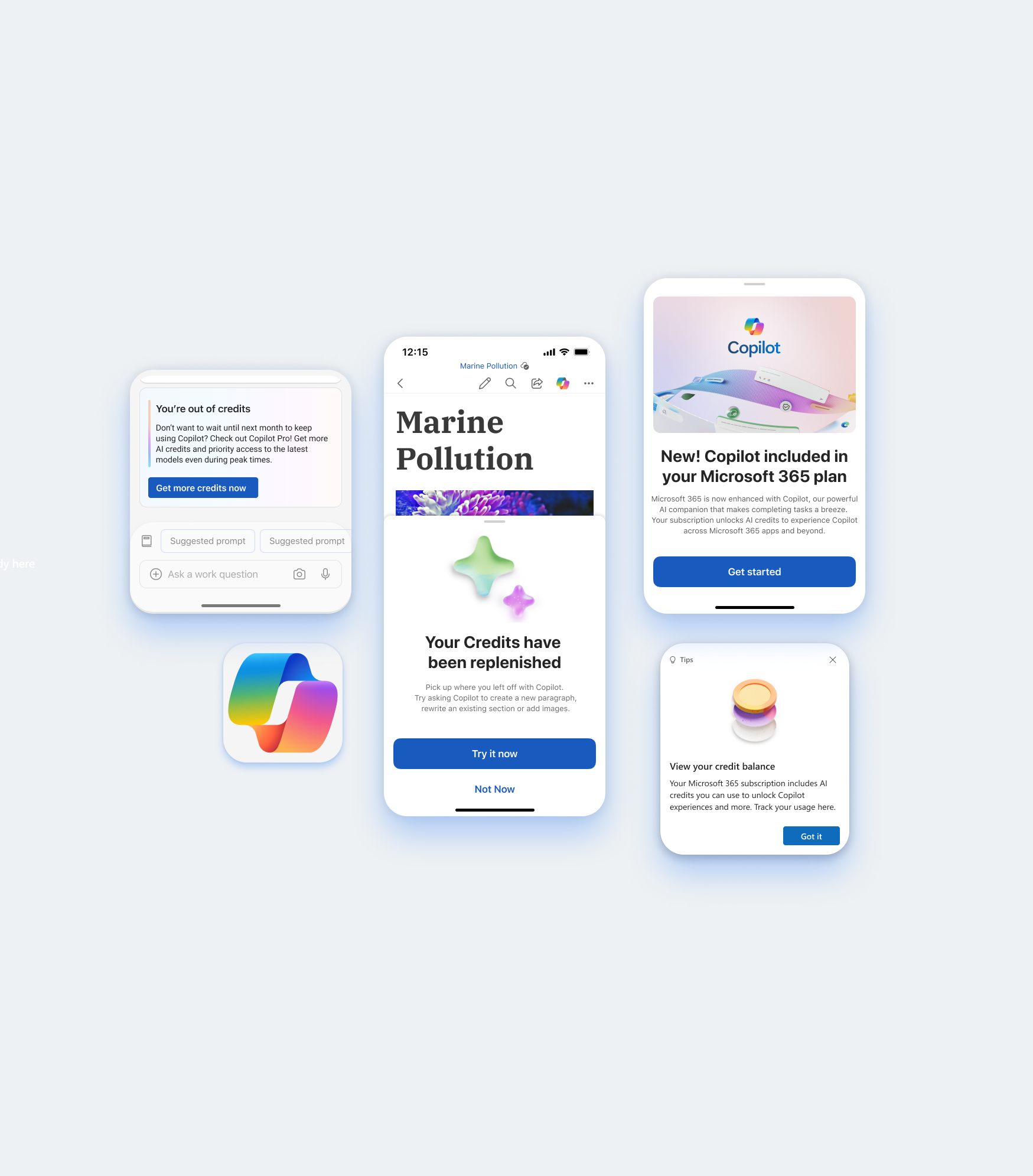
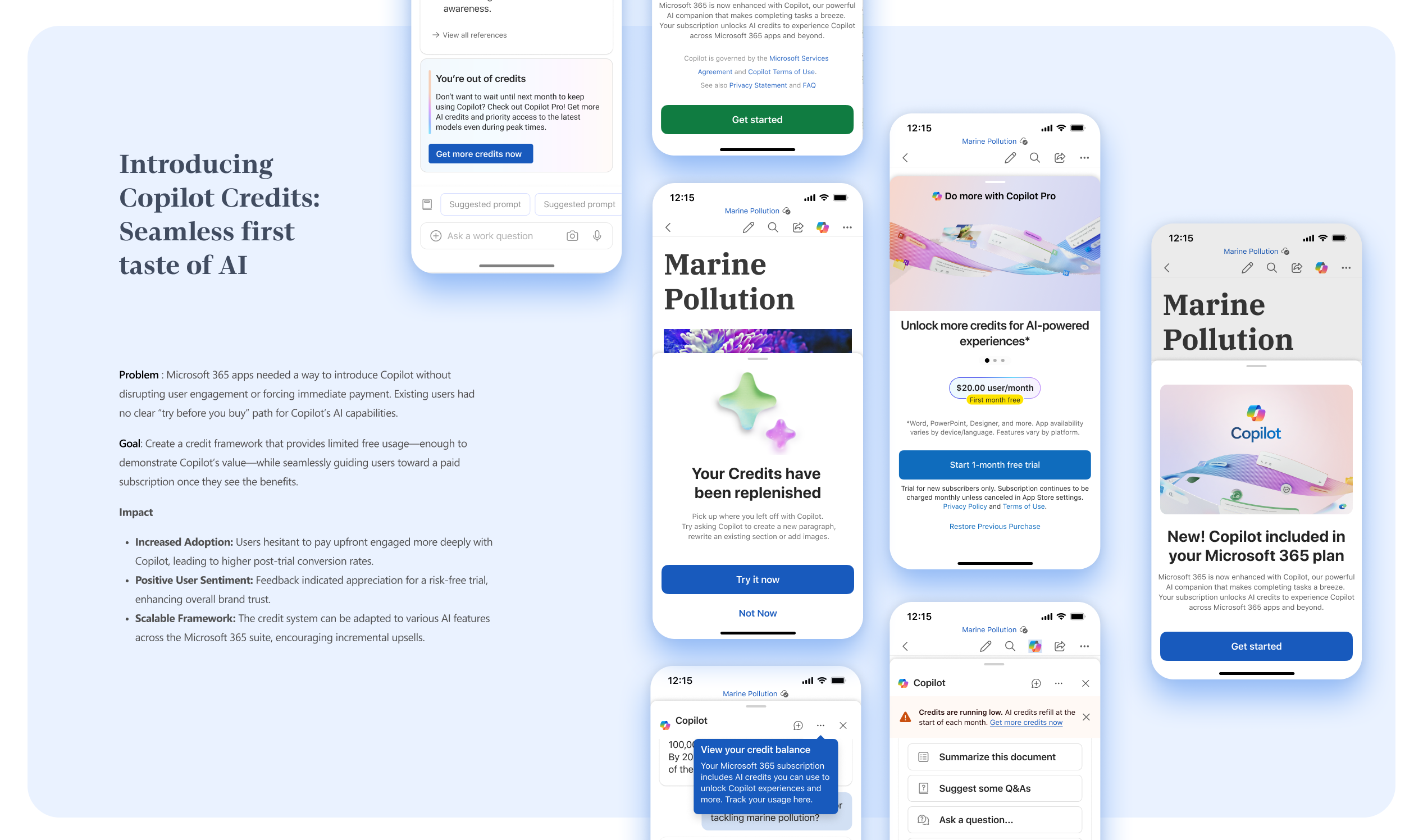
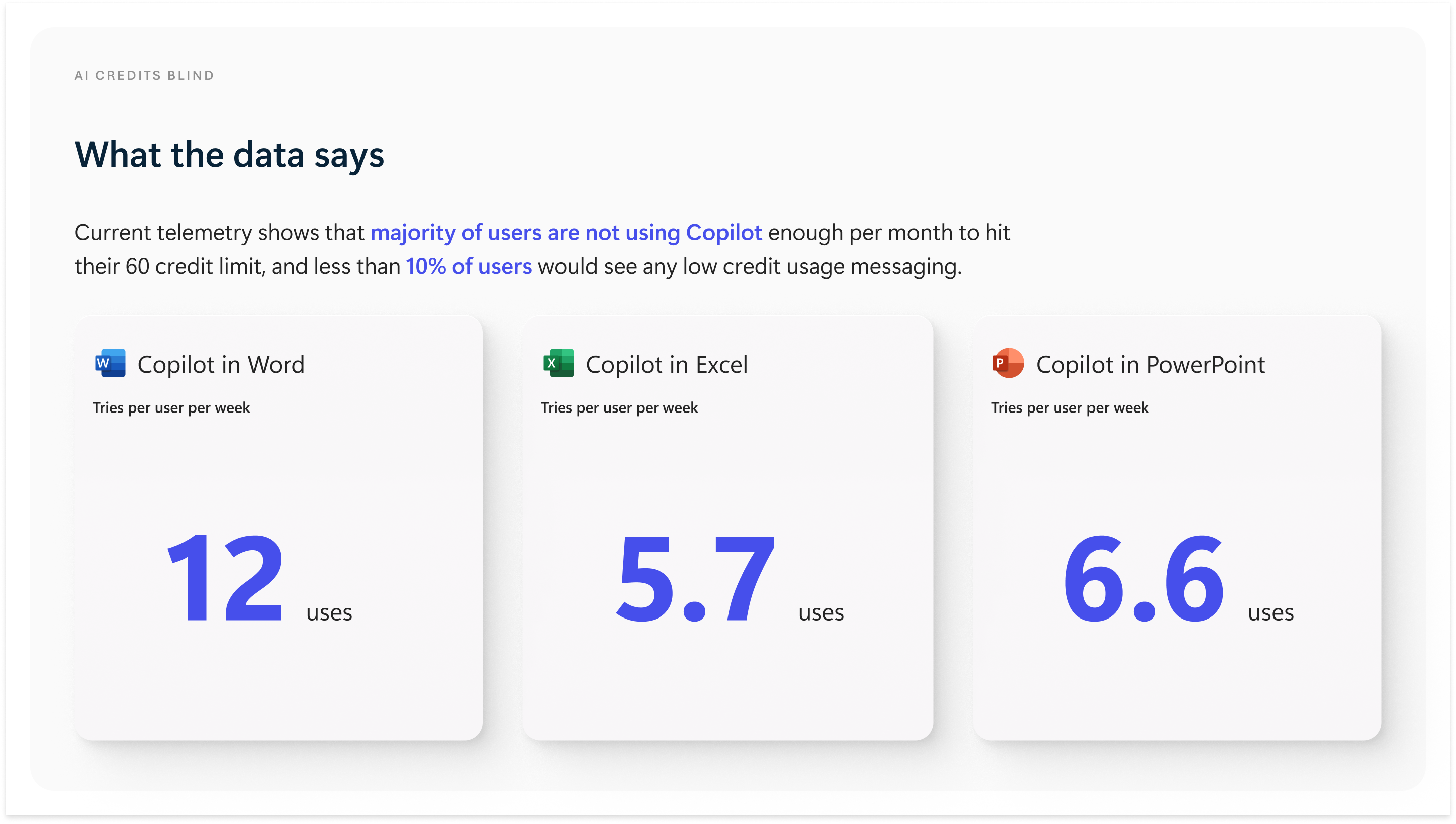
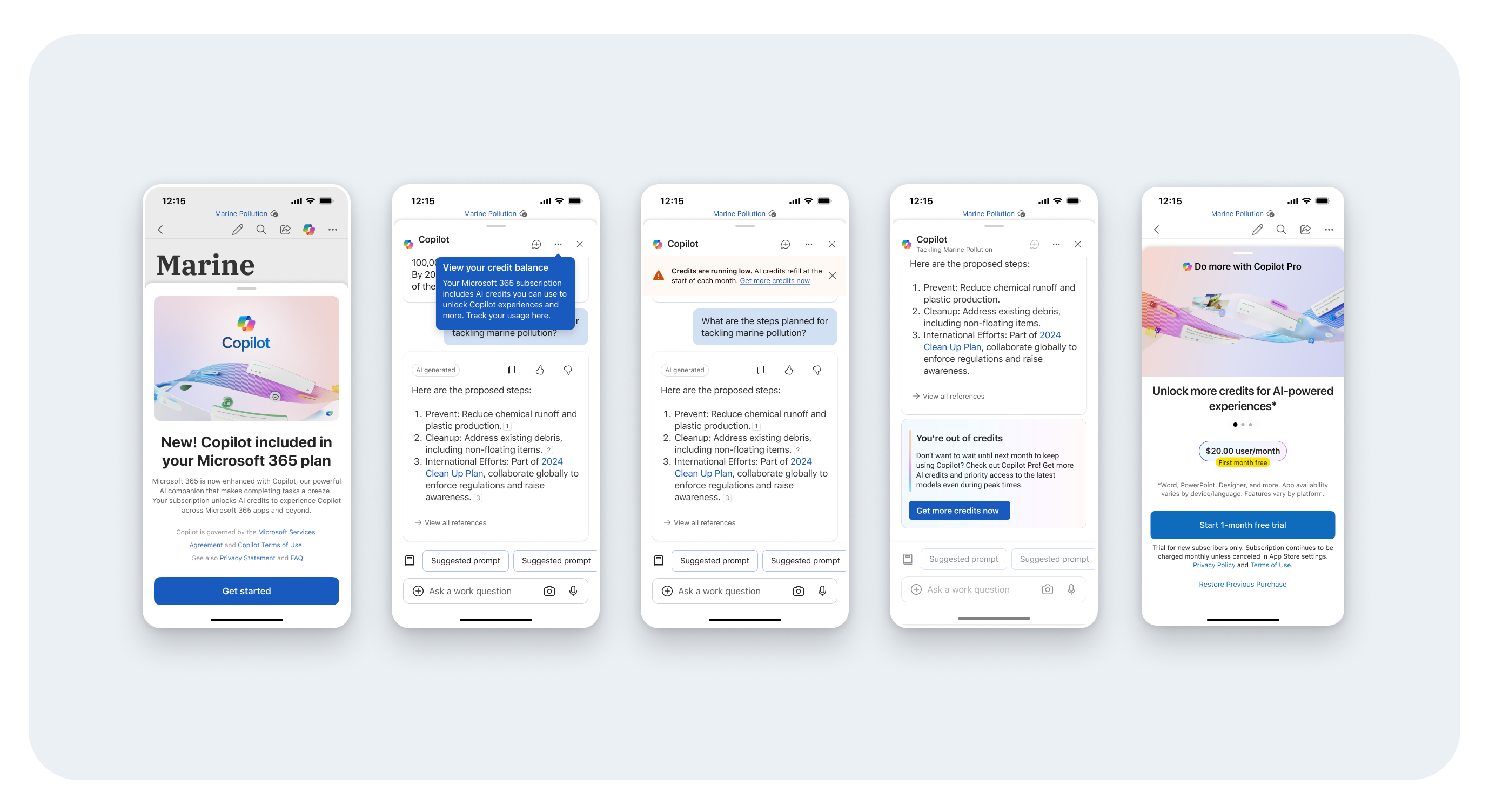
Copilot is coming to Microsoft 365 Personal and Family SKUs with a limit of 60 credits (or uses) per month.
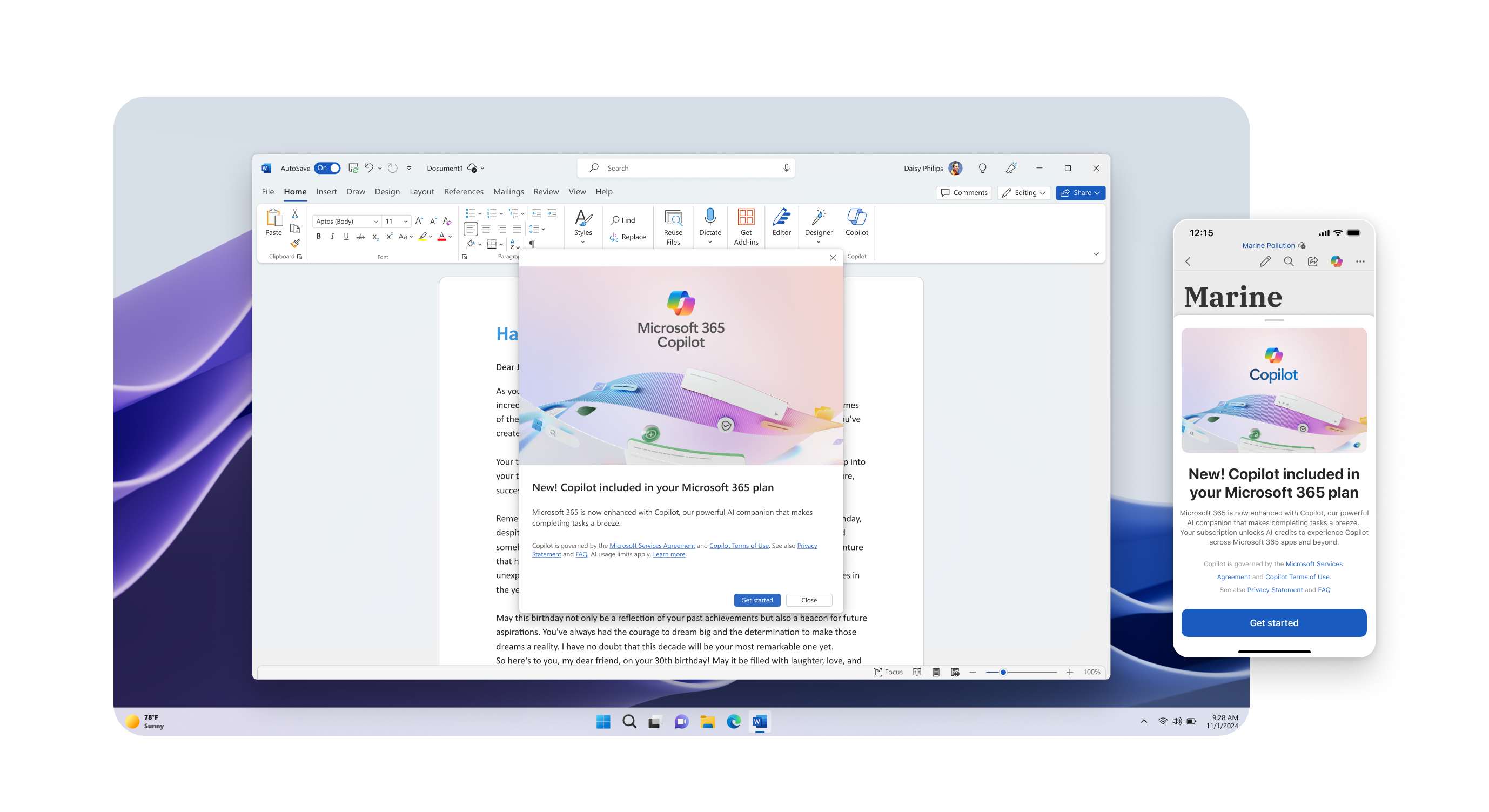
Today, we have no experience in the apps to introduce, present,
or
communicate the concept of AI credits to Microsoft 365 customers.
Goals
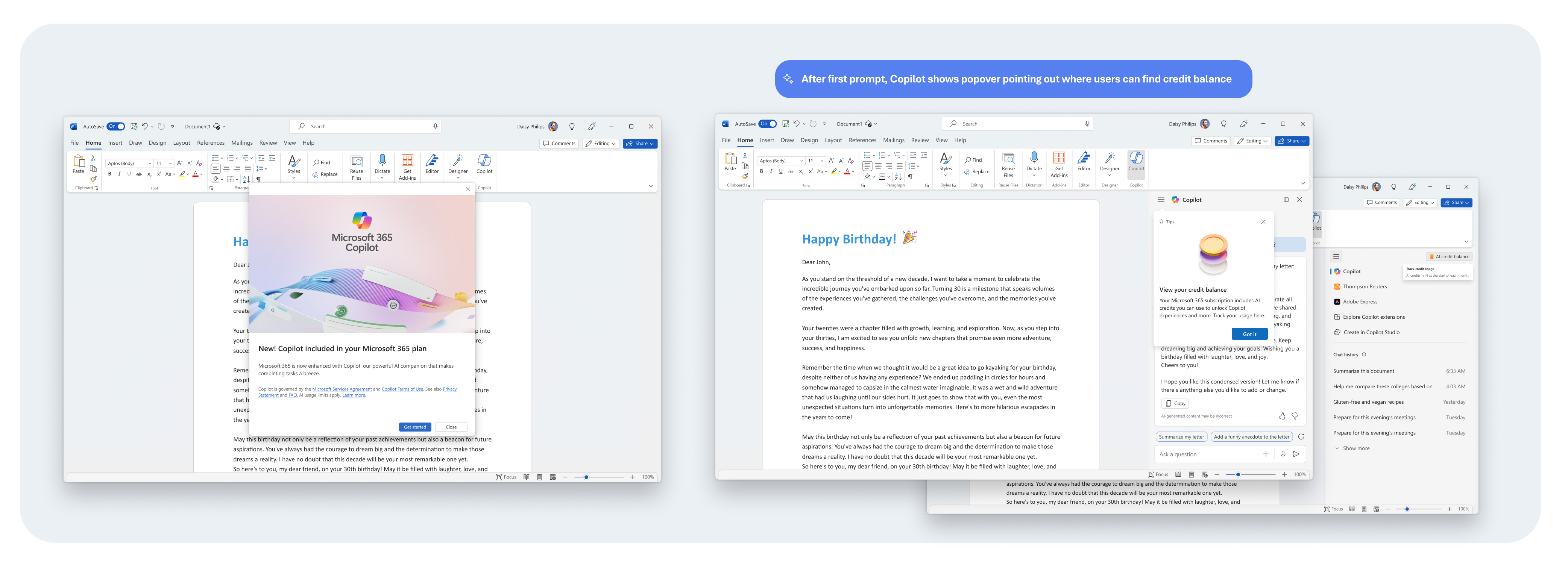
Create a credit framework in the Microsoft 365 apps that
tracks Copilot credit usage without disrupting, or negatively
impacting a user's engagement with Copilot.
Scales across apps within Microsoft 365 and Windows.
Research insights
Implementing credits makes customers feel like Microsoft is “nickel and diming” them by limiting their AI
usage.
When introduced to the idea of having a set limit of credits, users get into the mindset of how they can
save their credits instead of how they want to use Copilot, lowering engagement.
Credits seem to distract users from their initial experience with Copilot, leaving them to wonder what
costs a credit, or if different types of prompts cost varying amounts of credits.
Two strategies
🔍
Opaque
Credit balance is less visible as a way to emphasize engagement with Copilot and reduce cognitive
load.
💡
Transparent
Credit balance is persistently visible to give user the ability to more easily track their limits.
Guiding principles
Don’t distract
Placement of the credits counter should not distract customers from interacting with Copilot.
Encourage engagement
Give customers a reason to use their credits and keep interacting with Copilot.
Be contextual
Any messaging around credits should be contextual to where the action was taken.
Strategy overview
Copilot Starter: Copilot value added to M365 Personal and Family subscriptions
(including Student, HUP, discounted SKUs)
Price Increase: Monthly / Yearly price will be increased for M365 Personal and Family
subscriptions.
Feature Light Up: User will not have to take action to receive Copilot value in M365
apps
Limited Credits: Subscribers will receive a certain amount (60) of ‘Credits or
Copilot usage’ as part of their subscription plan.
Unified Credit System: Credits will be spread across Copilot usage in M365 apps and
Designer (formerly Bing Image Creator).
Downgrade Option: User can downgrade to traditional M365 P/F SKU in event subscriber
does not wish to have Copilot Pro value in subscription and pay a higher price point.
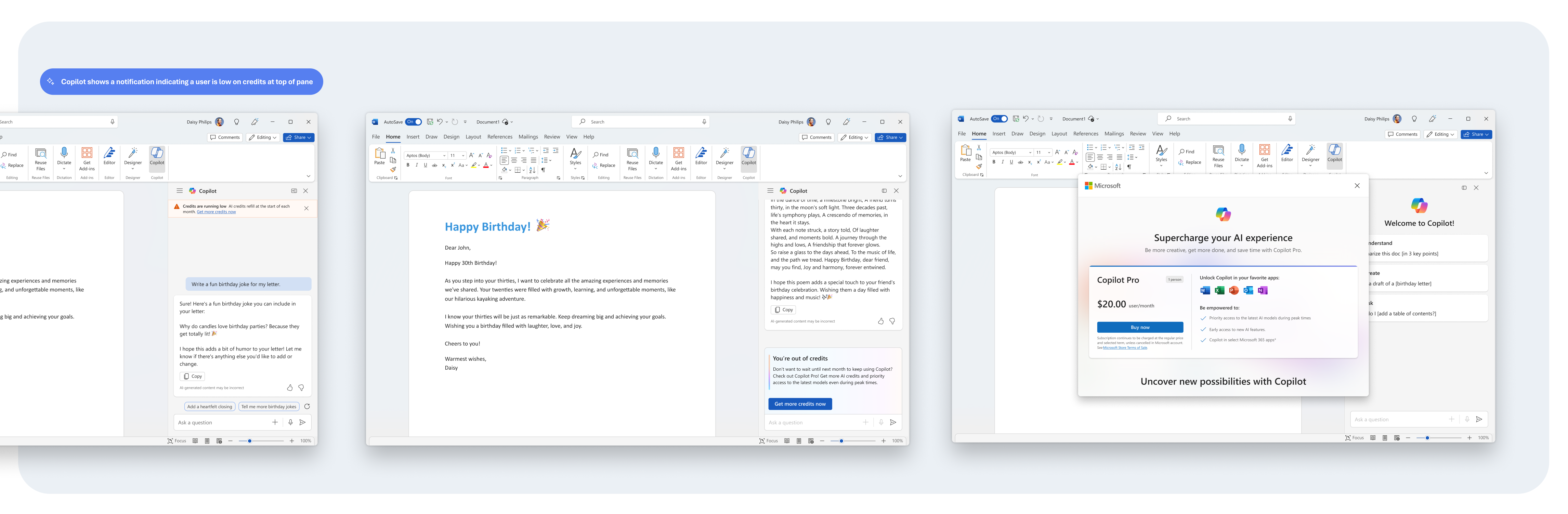
Unlock More Copilot: In the event, user reaches limit of Copilot Credits / allocated
usage as part of P/F subscription, user can purchase additional usage (Copilot Pro subscription or
Credit package (post MVP)).