Elevating Microsoft’s AI Copilot on Mobile

Where AI Meets Productivity

Context

We shipped Microsoft Copilot on mobile – the same AI assistant that millions of knowledge workers already rely on inside Word, Excel, PowerPoint and Outlook. At its core, leverages large-language models to help you in breaking down complex content, summarising key points and uncovering insights, making information more accessible and actionable.

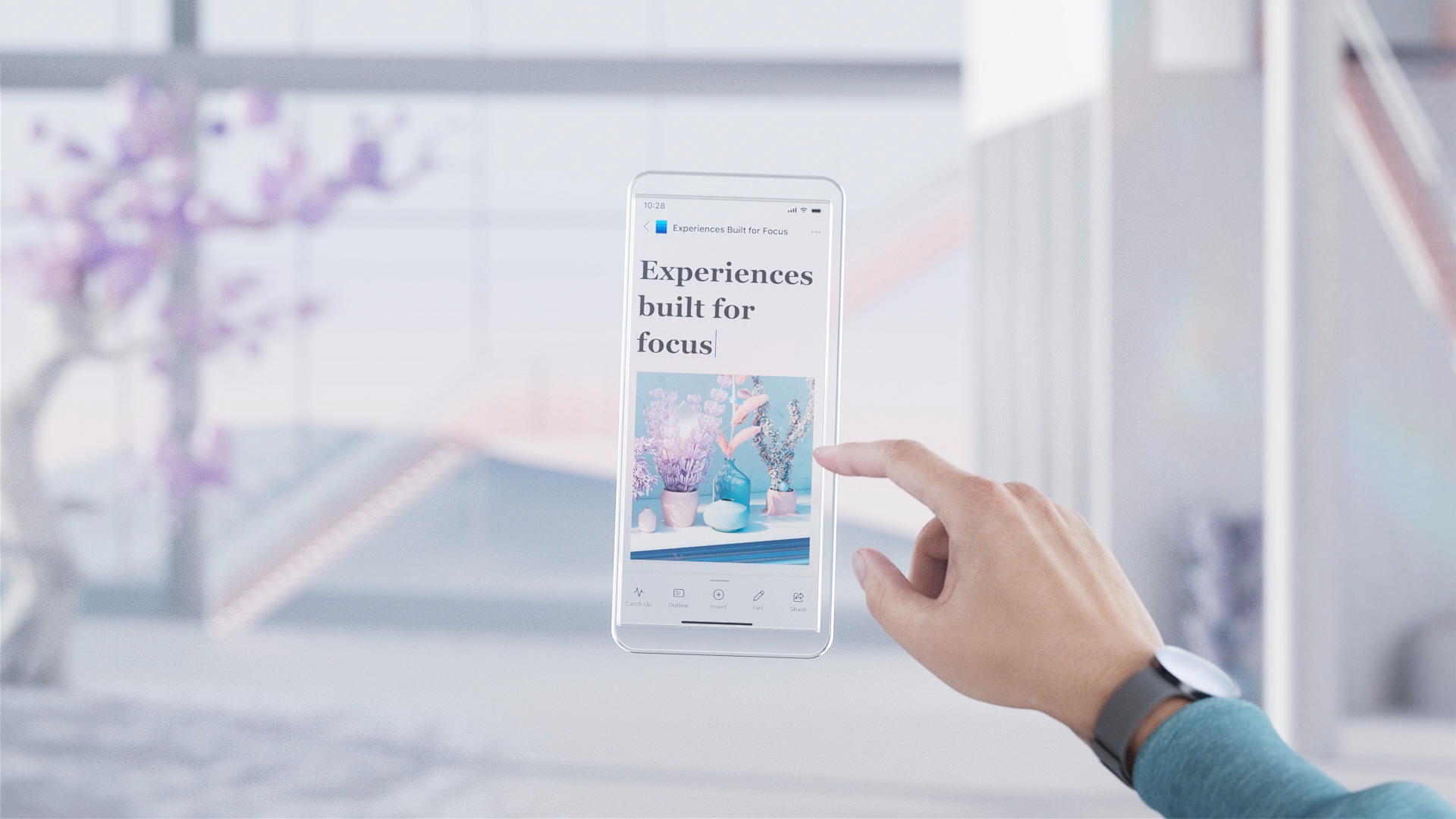
It was designed to let you create, consume and collaborate on M365 documents faster and with higher quality – right from your pocket.

Illustration of stacked Microsoft 365 app cards

Problem

After launching Copilot for mobile, we found 90% of users never engaged—severely limiting AI adoption. We needed to diagnose the barriers and evolve the experience to drive deeper engagement.

Support tickets around performance were spiking—threatening our engagement targets and upsell pipeline.

3D render of layered interface panels

Role

  • Led product conception keeping an AI-first approach, evolving app chat to meet user needs
  • Aligned with cross-functional teams for cohesive delivery
  • Conducted user research & defined design specifications
  • Oversaw iterative testing & refinement for user-centric outcomes
3D render of a Copilot agents toggle

Impact

  • 7× surge in user engagement within six months
  • 85% drop in complaints from mobile users
  • Established a unified design system for consistent AI experiences across Microsoft 365 apps, driving sustained innovation and cross-platform scalability

Problem statement

How might we boost Copilot’s visibility and drive user engagement—unlocking its full potential by adopting an AI-first design approach?

Business goals

  • Reduce user complaints by 50%
  • Double daily active mobile Copilot users within 6 months, driving higher engagement and retention
  • Establish Copilot as a daily habit by showcasing its full AI-powered capabilities
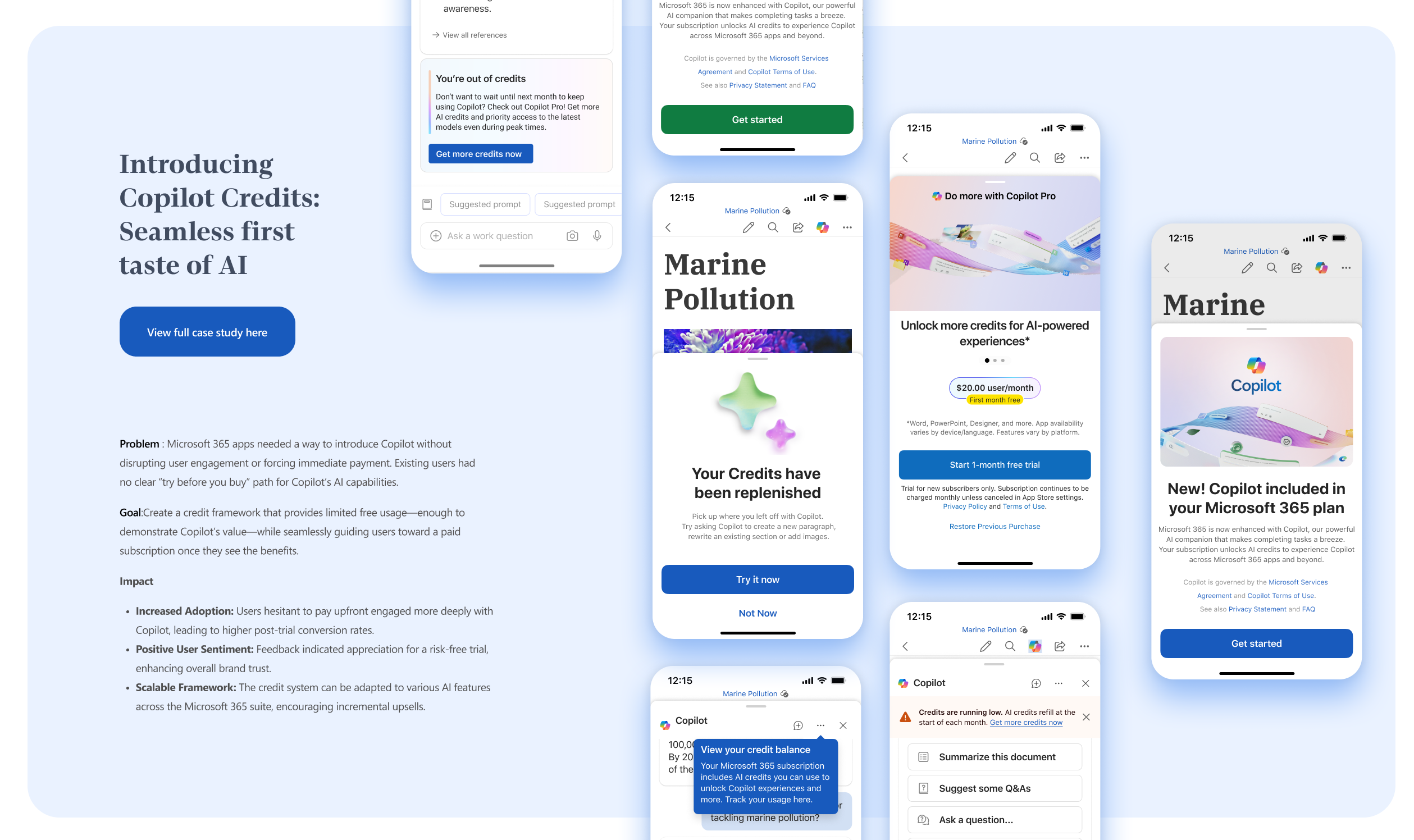
  • Drive premium Copilot upsells through clear, measurable ROI

Designing for AI

My role and process as AI design lead

  1. Problem Framing & Opportunity Discovery: Identify high-impact AI use cases by aligning user needs with business goals.
  2. Designing Scalable, Cross-Platform Interaction Systems: Build reusable M365 UI modules for intuitive, transparent prompts, feedback & flows—native and performant on iOS, Android & Windows.
  3. Selection & Shaping Model Behaviour: Collaborate with data scientists and engineers to refine how AI responds, balancing intent, ethics, and constraints.
  4. Evaluating AI Beyond Usability: Measure trust, transparency, and long-term adoption—going beyond standard usability metrics.
  5. Establishing Measurement Framework for Deep Insights: Define and track key performance indicators, creating feedback loops for continuous improvement and innovation.
  6. Strategic Vision, Business Alignment and AI-Driven Opportunity Mapping: crafting yearly roadmap with leadership, guiding and partnering with other design teams to embed AI assistance in the user journey

Swipe sideways to see the whole diagram

AI is reshaping Product, Design, Engineering and Sciences
Ribbon of rainbow-coloured corrugated 3D shapes carrying Copilot interface elements

Key Experience Highlights

Enhancing Mobile copilot For Faster document Consumption and engagement

These are just few of the selected projects i worked on-
get a glimpse of how copilot is evolving on mobile

Improving discoverability for smarter assistance

Designed to surface copilot where user need it most

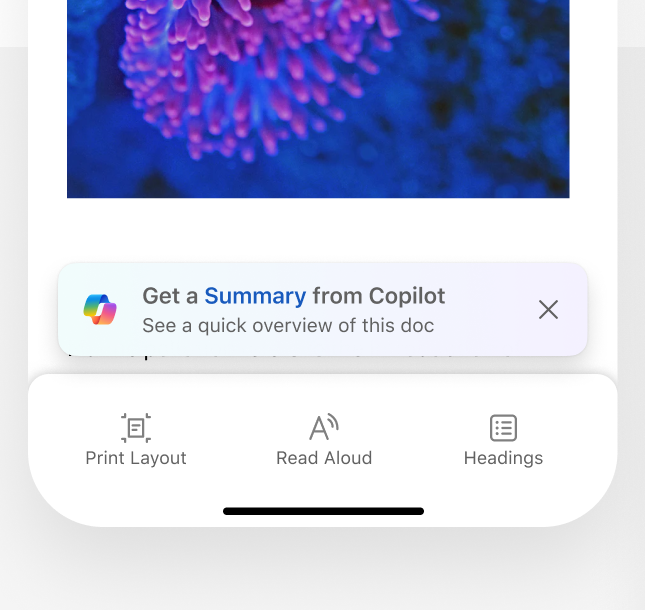
Nudges

Word mobile screen with a 'Get a Summary from Copilot' nudge above the toolbar
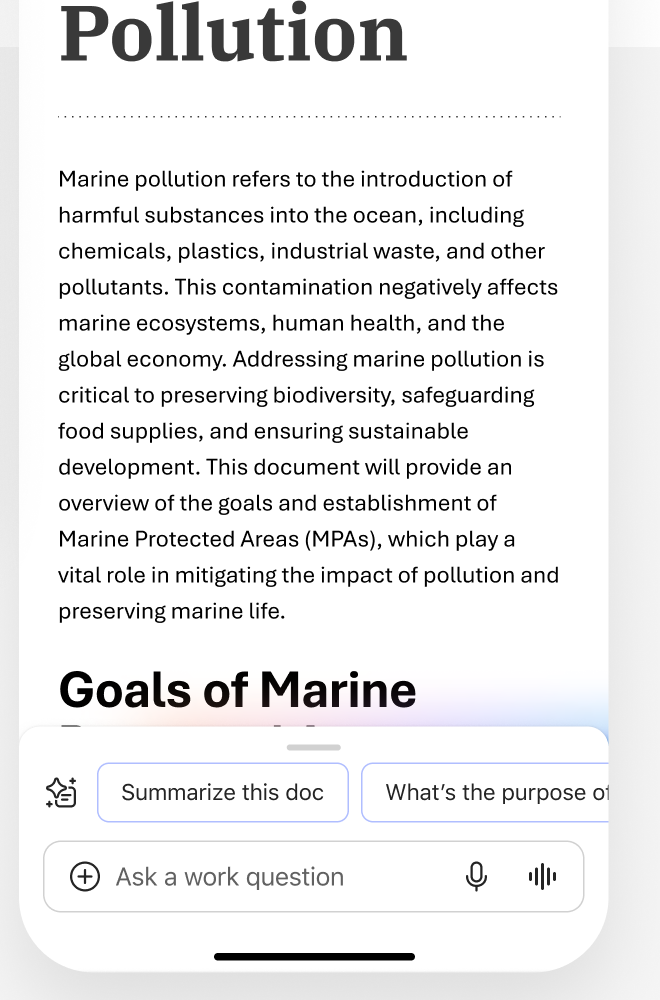
Marine Pollution document with suggested prompts and an 'Ask a work question' bar

Surfacing recommendations according to what user is seeing on the screen

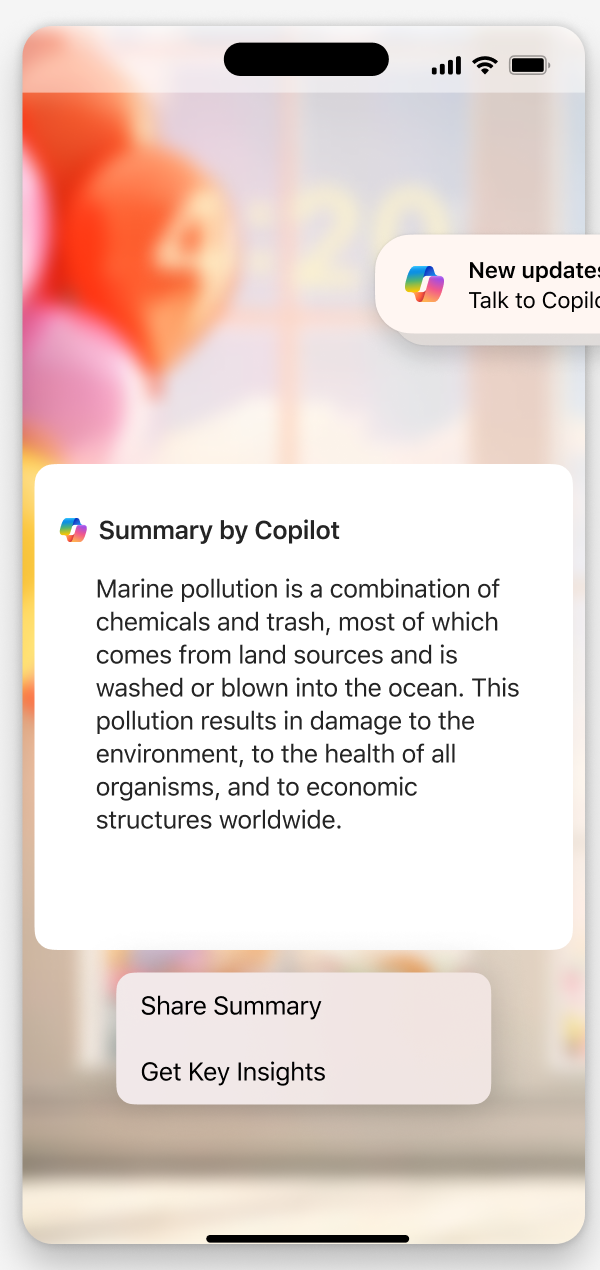
Phone lock screen showing a Copilot summary and Share Summary and Get Key Insights actions
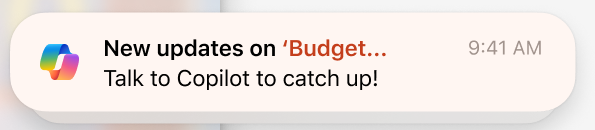
Notification: 'New updates on Budget... Talk to Copilot to catch up!'

Notification updates

Interact Naturally with
Real Time Voice and AI

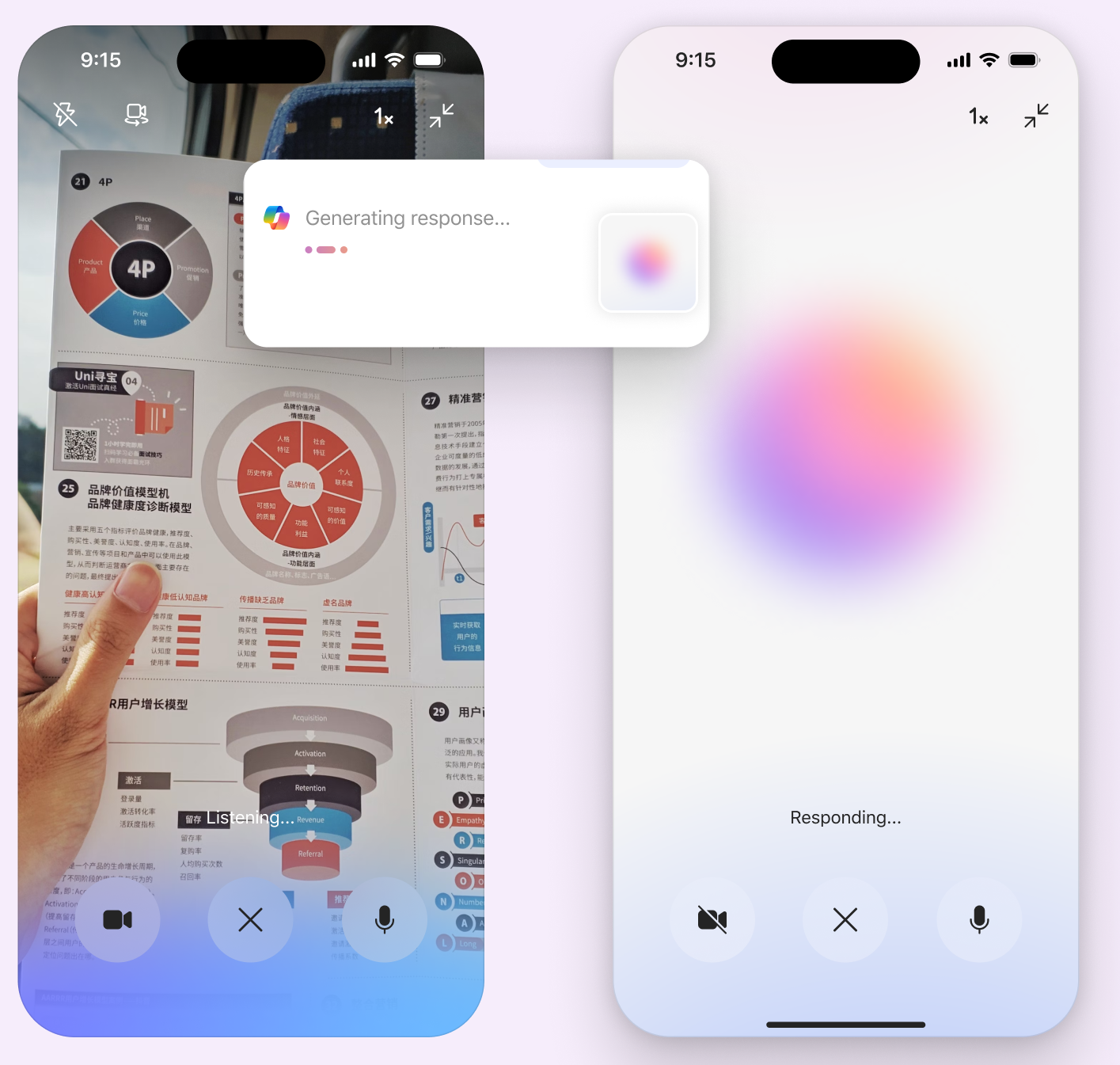
Copilot voice and video mode: a phone viewing a printed brochure while Copilot generates a response, and a second phone showing 'Responding...'

VIDEO

THINKING

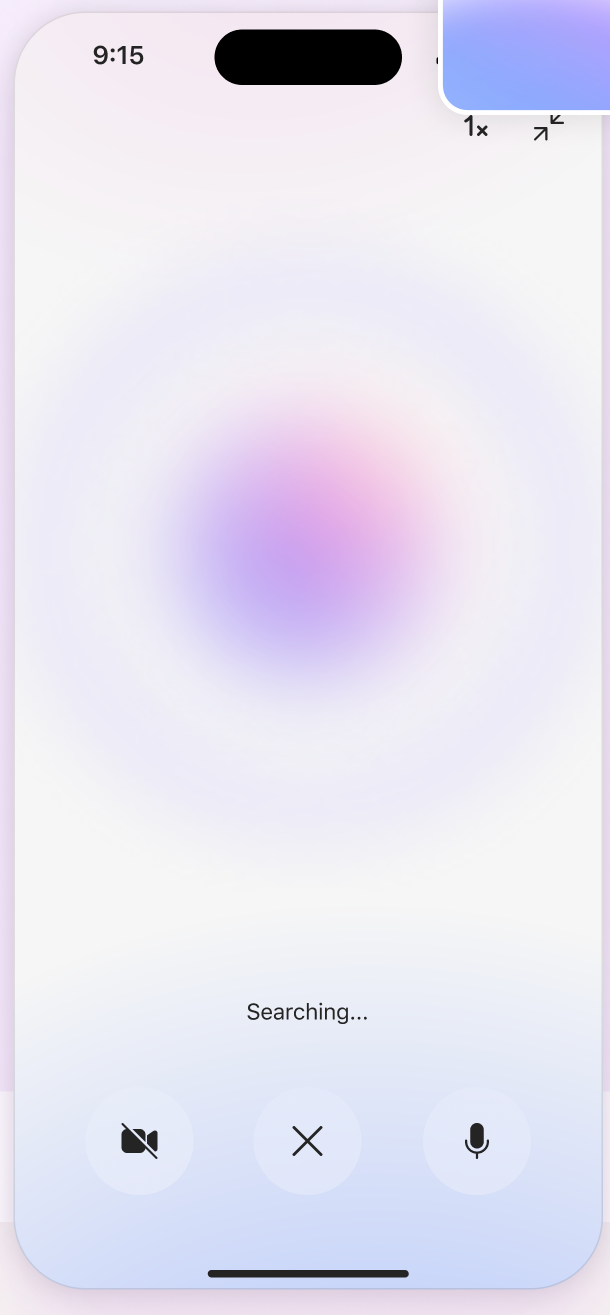
Phone showing the 'Searching...' voice state with an animated orb

Faster document
and slide consumption
with AI

Transforming information overload into Quick insights

Context Aware insights for better decision making

Helping user take action inside copilot

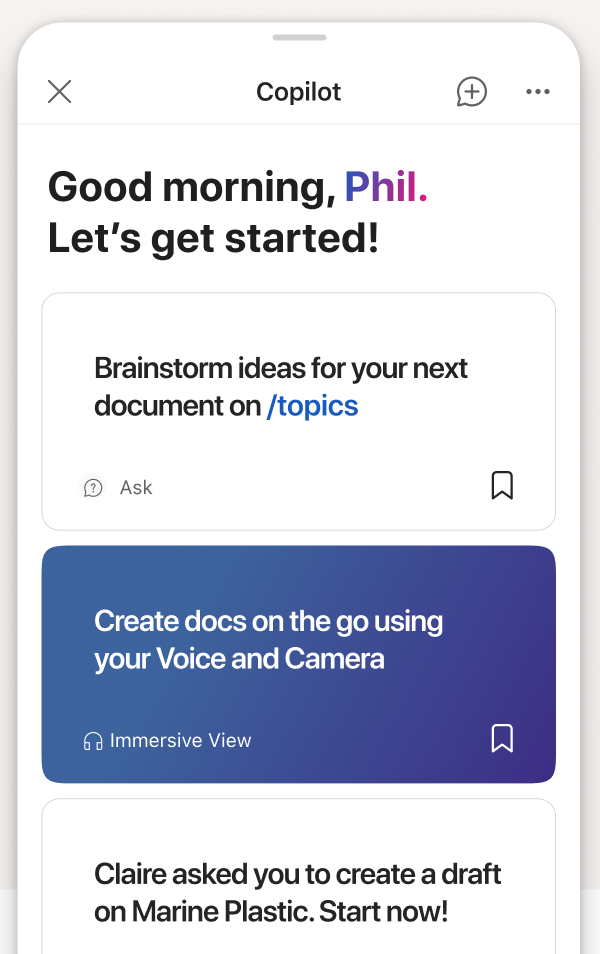
Copilot home screen greeting 'Good morning, Phil. Let's get started!' with prompt suggestion cards
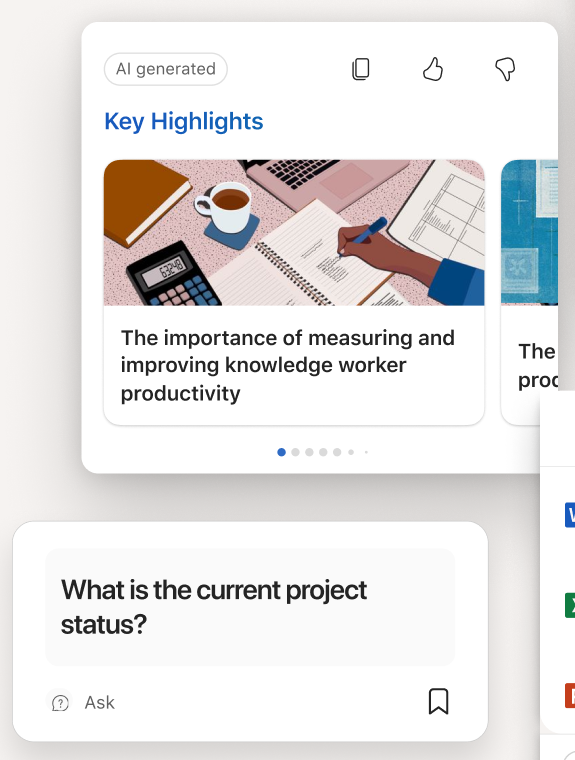
Key Highlights card with an illustrated summary and a 'What is the current project status?' prompt card
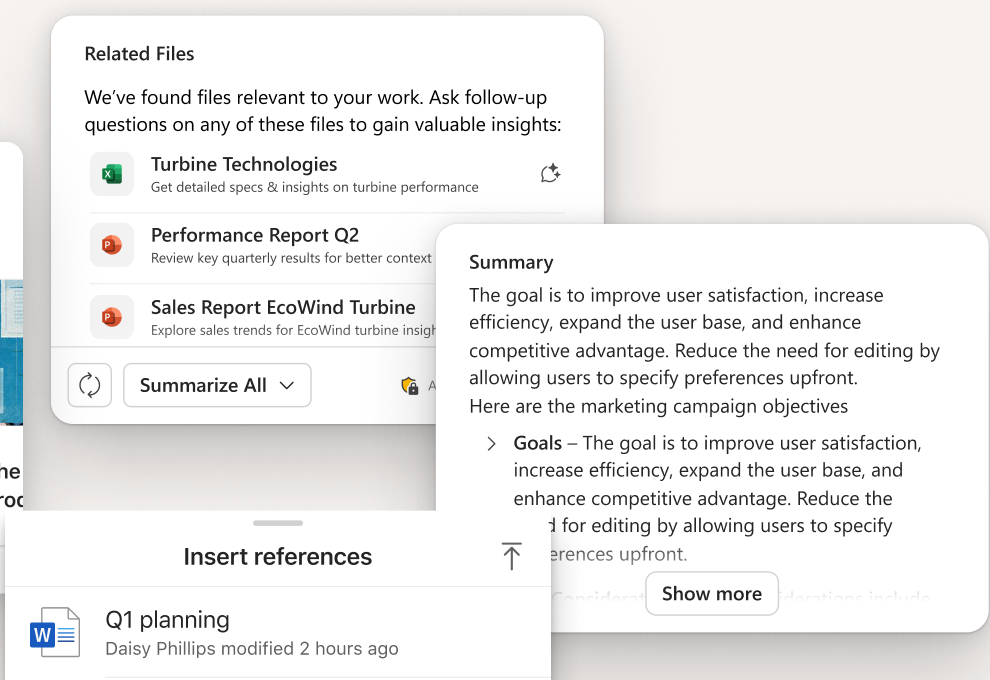
Related Files list and a Summary card on a mobile screen, above an 'Insert references' sheet
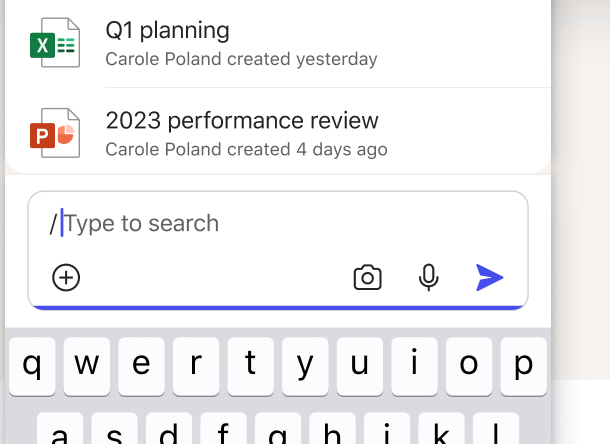
Insert references sheet with Q1 planning files, a search field and the keyboard

step 1

Problem Framing and opportunity discovery

  • Deeply understand User needs & context: Analyzed user workflows, data, and direct feedback to align AI solutions with real-world usage scenarios.
  • Understand Market Forces Around AI: Monitored emerging trends, competitor strategies, and regulatory shifts to inform product direction and differentiation.
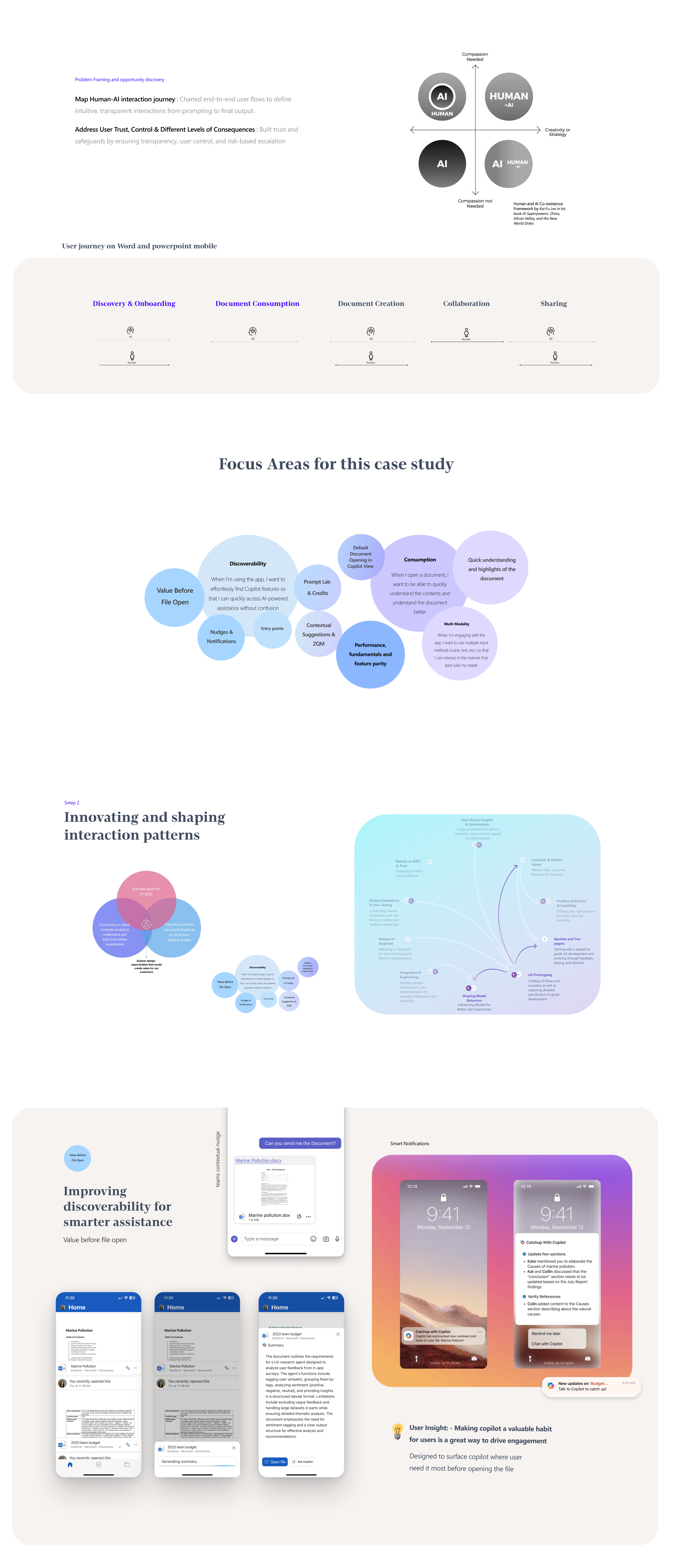
  • Map Human-AI interaction journey : Charted end-to-end user flows to define intuitive, transparent interactions from prompting to final output.
  • Address User Trust, Control & Different Levels of Consequences : Built trust and safeguards by ensuring transparency, user control, and risk-based escalation
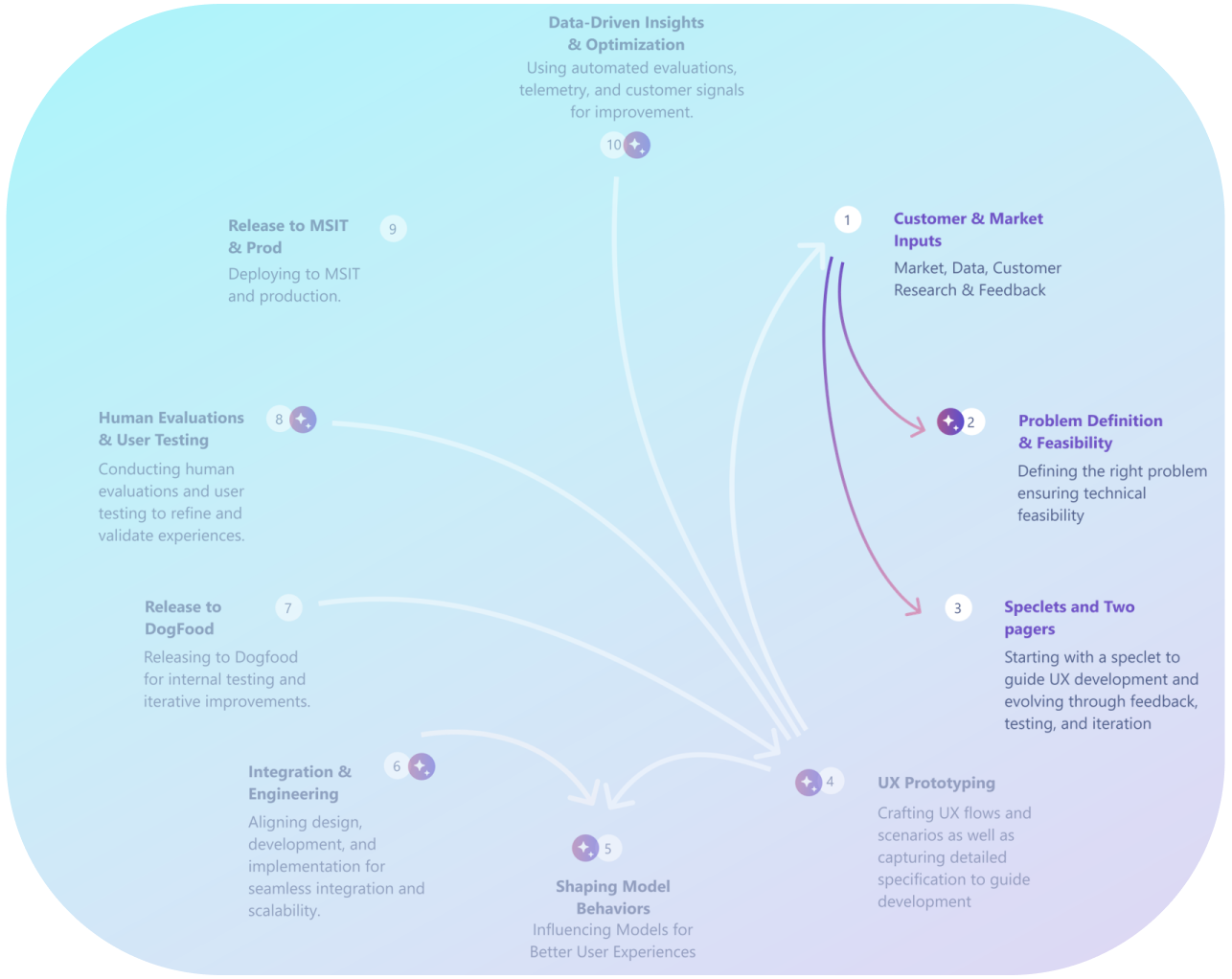
Ten-step AI design workflow diagram with 'Customer & Market Inputs', 'Problem Definition & Feasibility' and 'Speclets and Two pagers' highlighted

user research

Deeply understand User needs & context: Analyzed user workflows, data, and direct feedback to align AI solutions with real-world usage scenarios.

12+

research studies

Conducted and read in depth qualitative and quantitative  studies

15+

competitor studies

Benchmarked direct and indirect AI solutions

Logos of competitor products: Adobe Express, miro AI, Perplexity, Canva, Claude, Jasper, Gemini and Gamma

500+

enterprises users

Gathered structured feedback across diverse roles for enterprise user

100+

OCV feedbacks

Captured real user sentiment and task level gaps

Why aren’t users discovering Copilot?

Which moments in their document workflow are highest-value to surface AI?

What performance thresholds will make mobile feel “snappy” enough?

Discovery and Landing on copilot

  1. “Copilot said it wasn't working and to try later. I have found this to occur 50% of the time, even with different subject matter and where ChatGPT works instantly. The same with Microsoft Teams compared to Zoom. Where Teams breaks up during the calls and Zoom doesn't immediately after using Teams, with same equipment and everything.”
  2. “Unbelievable that they charge $360 for the copilot to get processing errors all the time”
  3. “Significant failure. Heavily artificial and lightly intelligent”
  4. “Copilot times out 100% of time -- Sending a message to Copilot on iOS displays a ... loader for 20 seconds, then nothing else happens. On desktop, the messages and their responses appear fine.”

Issues in language understanding (non EN

  1. "I am paying for copilot in word and it literally never worked. Unable to create summarize and or rewrite. Very poor product”
  2.   "Simple ask for more detailed information. ChatGPT would understand this... request was to “explain further”"
  3. "Should be easier to add text to document that is open. Lost info because i had two different answers which i wanted to include”
  4. "The organizational reporting structure and the announcement when Tim joined the organization are all in our office 365 SharePoint. Why isn’t it using that data?”
  5. "Copilot app in Teams is giving ‘sorry something went wrong’ error since version 6.4.1”
  6. "Copilot generated a great long write up to catch me up on emails, meetings, documents... and as soon as it finished, only the documents part of the response would show. The initial part of the response was gone. (Using on iPhone if that helps.)

Quality issues with output, where users feel answers are repetitive or not as intelligent as expected, RAI blocks hampering use, etc.

  1. “It is not possible to summarize any document if it is in Polish”
  2. “The document contains instructions in Italian.. should be able to get translated”
  3. “I ask him for a table of action points and he gives it to me but in English, when the conversation has been in Spanish all the weird”

Performance, Reliability, and Latency issues causing frustration for users.

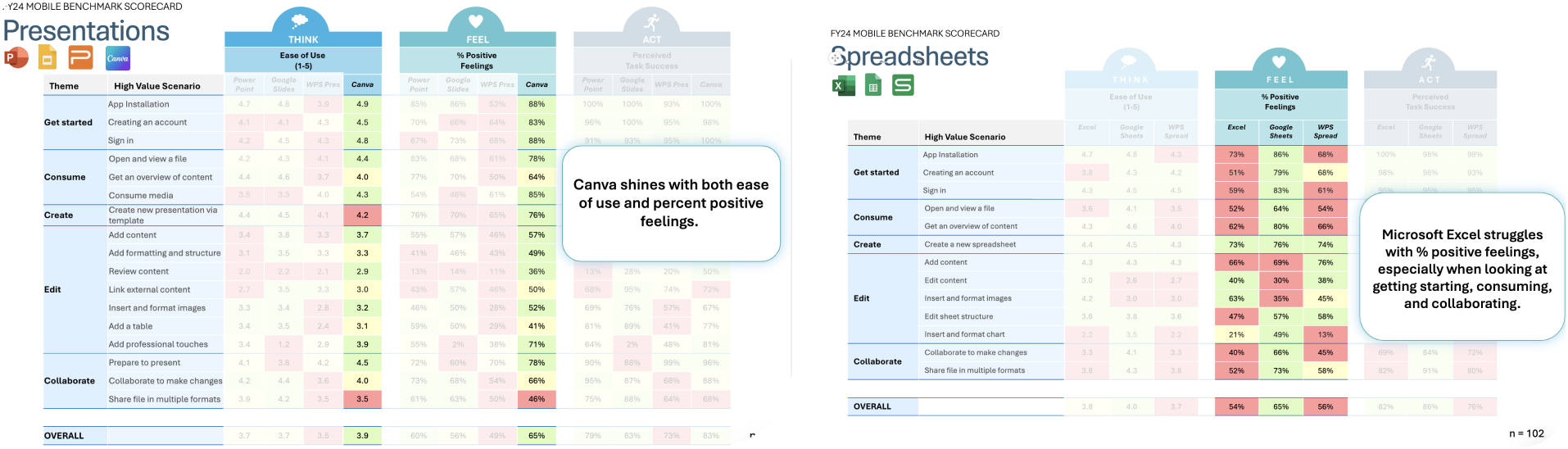
FY24 mobile benchmark scorecards for Presentations (PowerPoint, Google Slides, WPS Presentation, Canva) and Spreadsheets (Excel, Google Sheets, WPS Spreadsheet), scored on think, feel and act, with callouts on Canva and Excel

competitive UX benchmark built around a think feel act framework

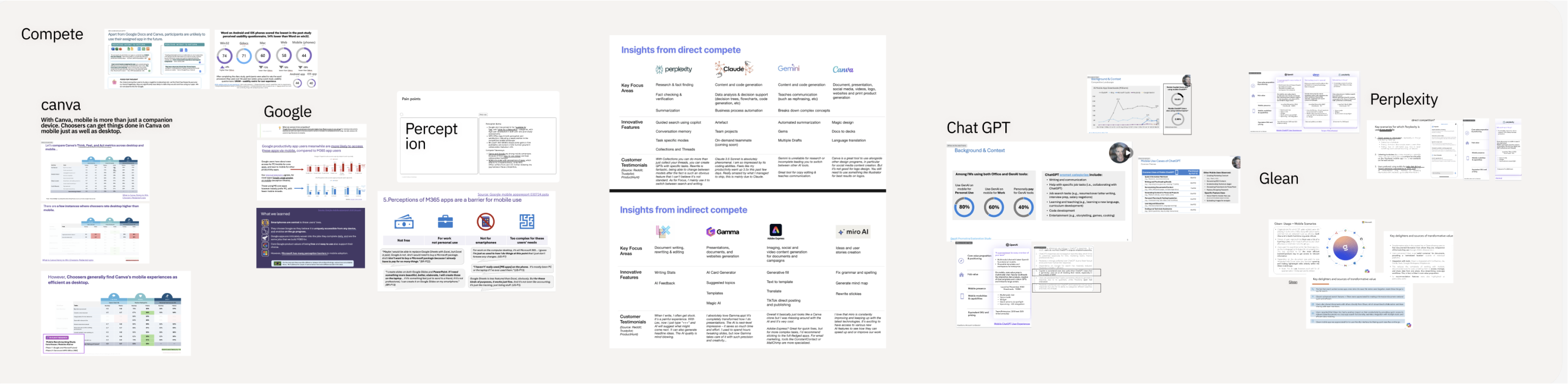
Understand Market Forces Around AI: Monitored emerging trends, competitor strategies, and regulatory shifts to inform product direction and differentiation.

Competitive research board: Canva, Google, Perception, Insights from direct and indirect competitors, ChatGPT, Glean and Perplexity

We looked deeper into user needs and found these themes

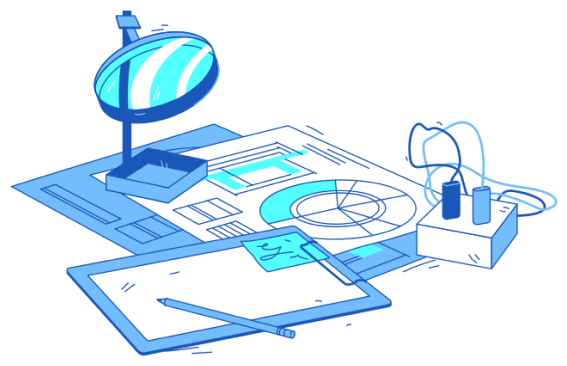
Illustration of a magnifying glass over charts and documents

Discoverability

When I'm using the app, I want to effortlessly find Copilot features so that I can quickly access AI-powered assistance without confusion

Performance and fundamentals

When I'm interacting within app chat, I want robust and reliable core functionalities so that I can trust the system to perform consistently.

Unified System

When I switch between Microsoft 365 applications, I want a consistent, unified experience so that I can maintain familiarity and efficiency across all platforms.

Consumption

When I open a document, i want to be able to quickly understand the contents and understand the document better

Improving discoverability for smarter assistance After file open

Designed to surface copilot where user need it most

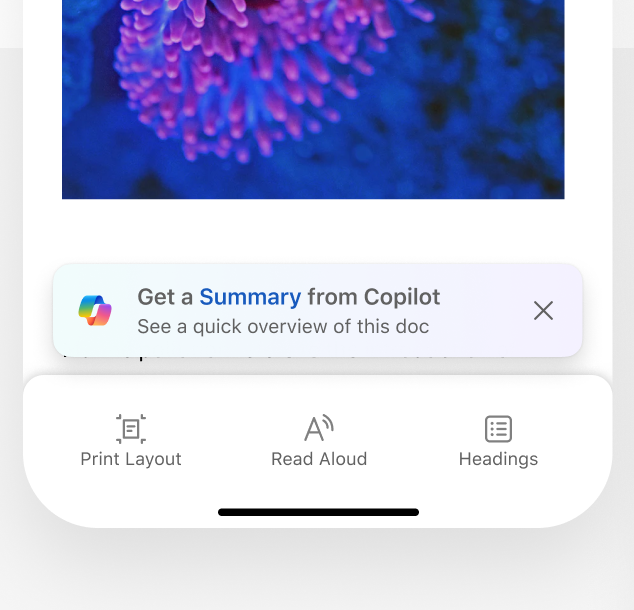
Nudges
Word mobile screen with a 'Get a Summary from Copilot' nudge above the bottom toolbar
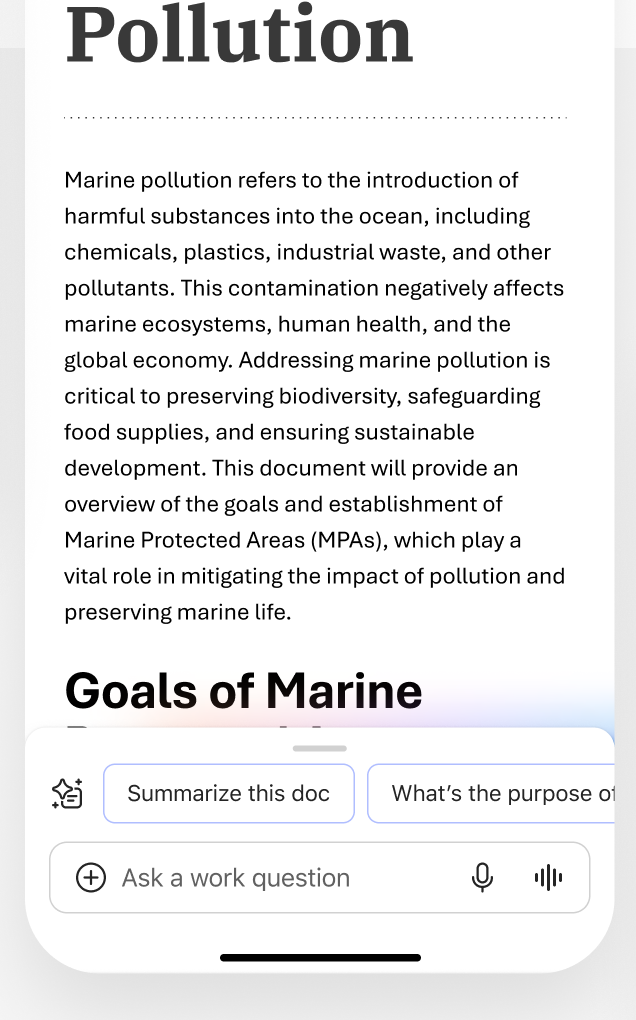
Document with suggested prompts and an 'Ask a work question' bar above the keyboard area
Surfacing recommendations according to what user is seeing on the screen

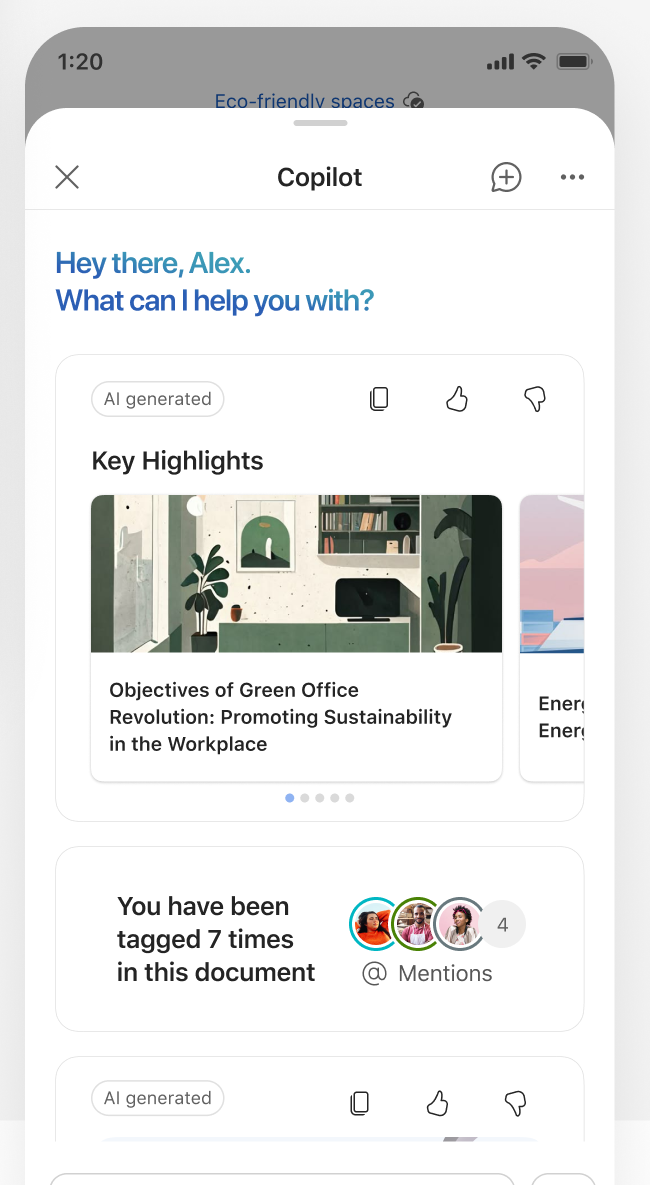
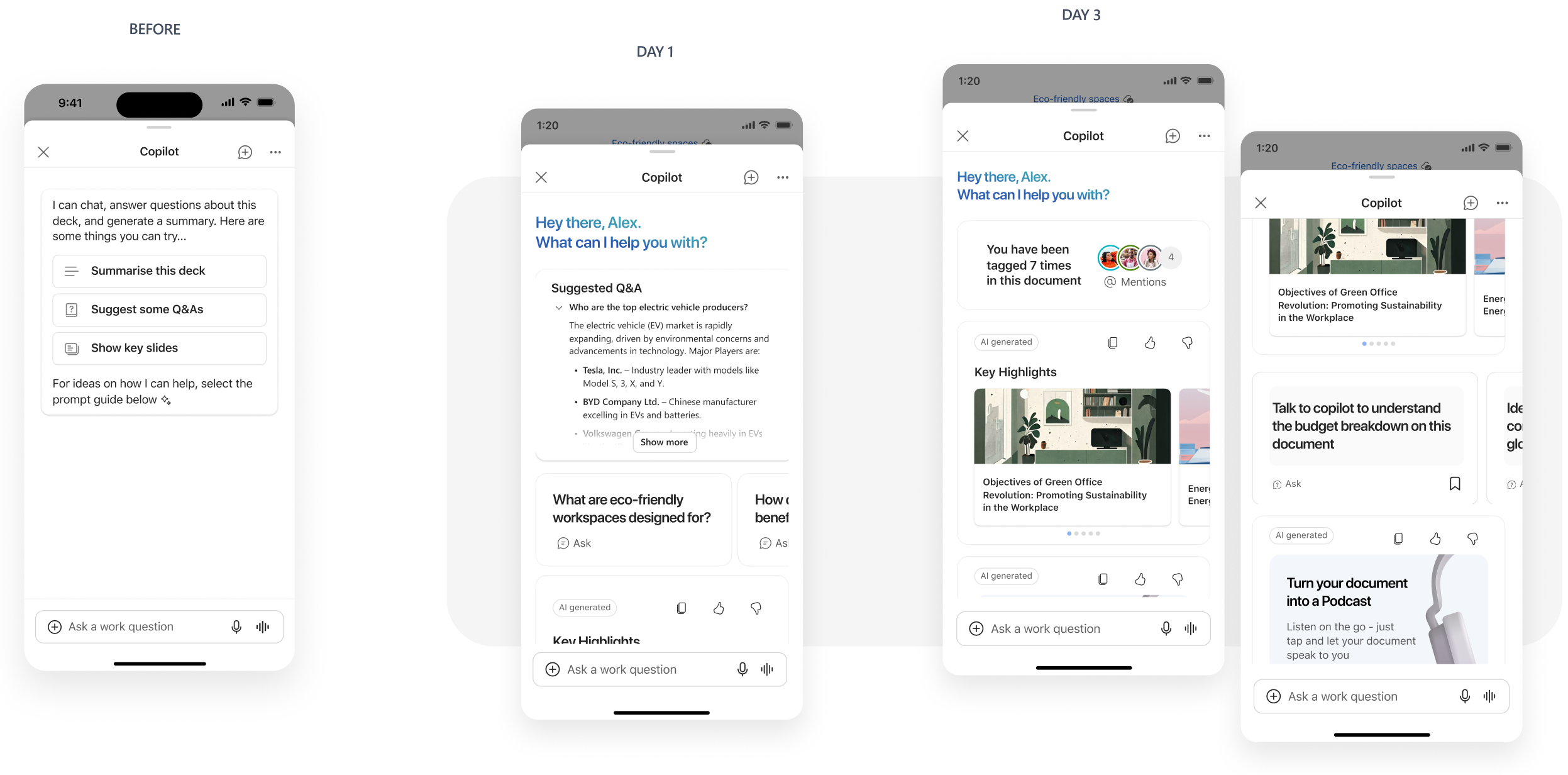
Zero query mode inside copilot

Copilot zero-query screen greeting 'Hey there, Alex' with Key Highlights and mentions cards

Improving discoverability for smarter assistance: After file open

Starting with MVPs and quick wins

Our hypothesis:  low discoverability of Copilot icon on Mobile. The icon does not truly stand out for new users and hence most users might just not be clicking on it.

Light bulb

user insight: - users want copilot to be proactive where it can make their life easier

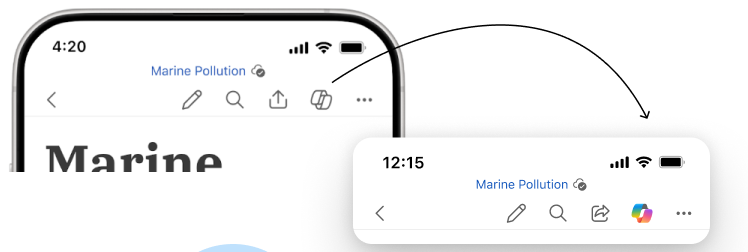
Word and PowerPoint mobile toolbars with the monotone Copilot icon replaced by the rainbow Copilot icon Entry points

Driving more attention towards the copilot icon. replace the monotone Copilot icon on Word and PPT with rainbow icon  and see if it can help increase visibility of Copilot

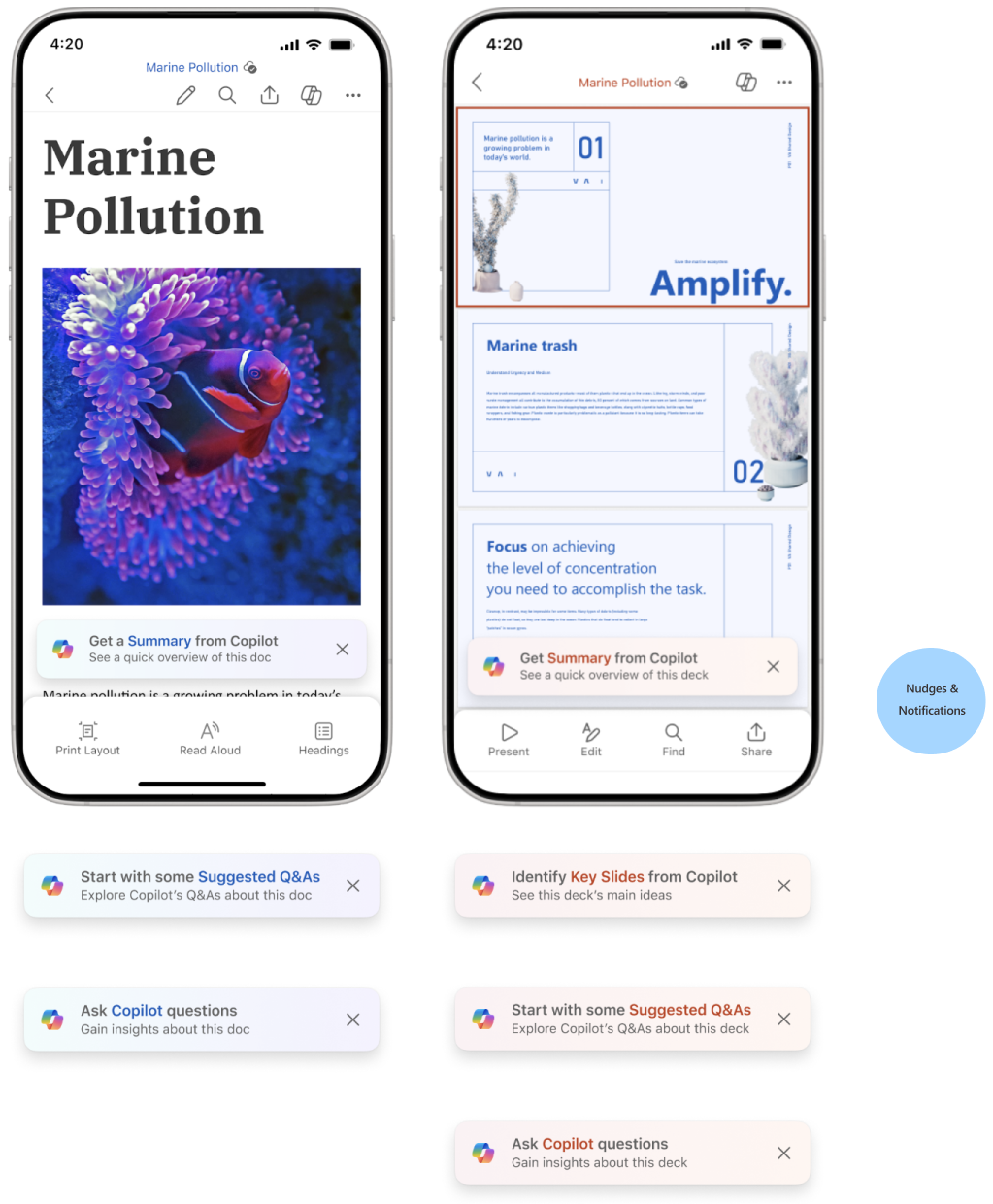
Experiment 1: Nudges

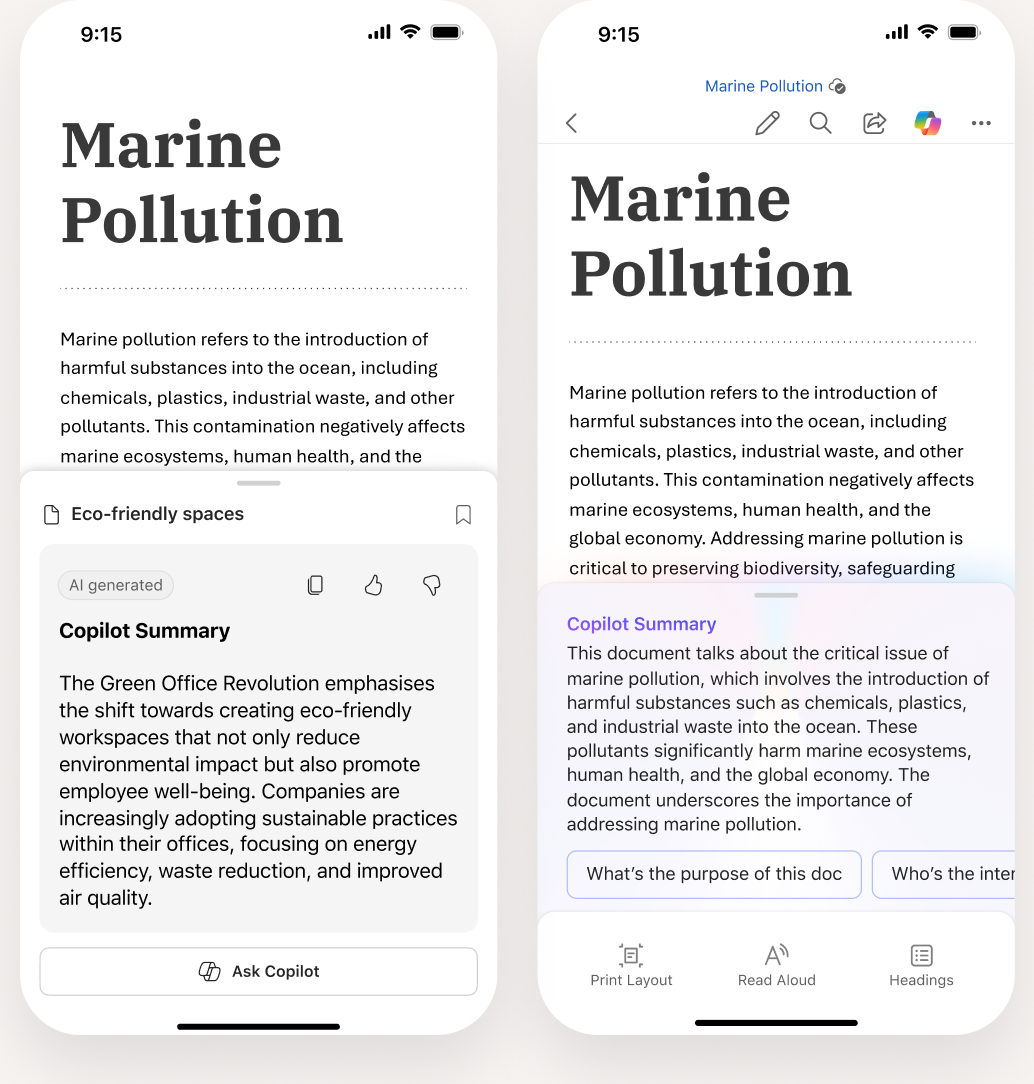
Copilot nudge to suggest relevant actions based on the content which also acts as a learning moment for the user discovering Copilot's potential

User feedback after testing the nudge

"Oh, that's handy! I was just about to skim through this. A quick summary would be great."

"I'm curious to see the summary it comes up with."

"That's thoughtful. It's like it anticipated what I might need."

Two Marine Pollution documents on mobile, a Word document and a PowerPoint deck, each with a Copilot nudge, plus the other nudge variants and a Nudges and Notifications label

Experiment 2:
Proactive copilot summary

User feedback after testing the nudge

"Automatic summaries quickly become repetitive, noisy and distracting. Allow on demand generation”

" I don't need a summary of something i wrote myself”

" These pills want to make me ask more questions”

Suggestions are seen as incredibly helpful for deriving specific insights, and helps guide user discover copilot capabilities

Proactively suggest relevant next steps. Proactiveness should drive curiosity and exploration

Two Marine Pollution documents on mobile with a proactive Copilot Summary card and a Copilot Summary pill
Four more phone explorations of proactive summary: a summary banner, an inline Copilot Summary, an eco-friendly offices pill and a research-data pill

Other explorations for proactive summary

Experiment 3:

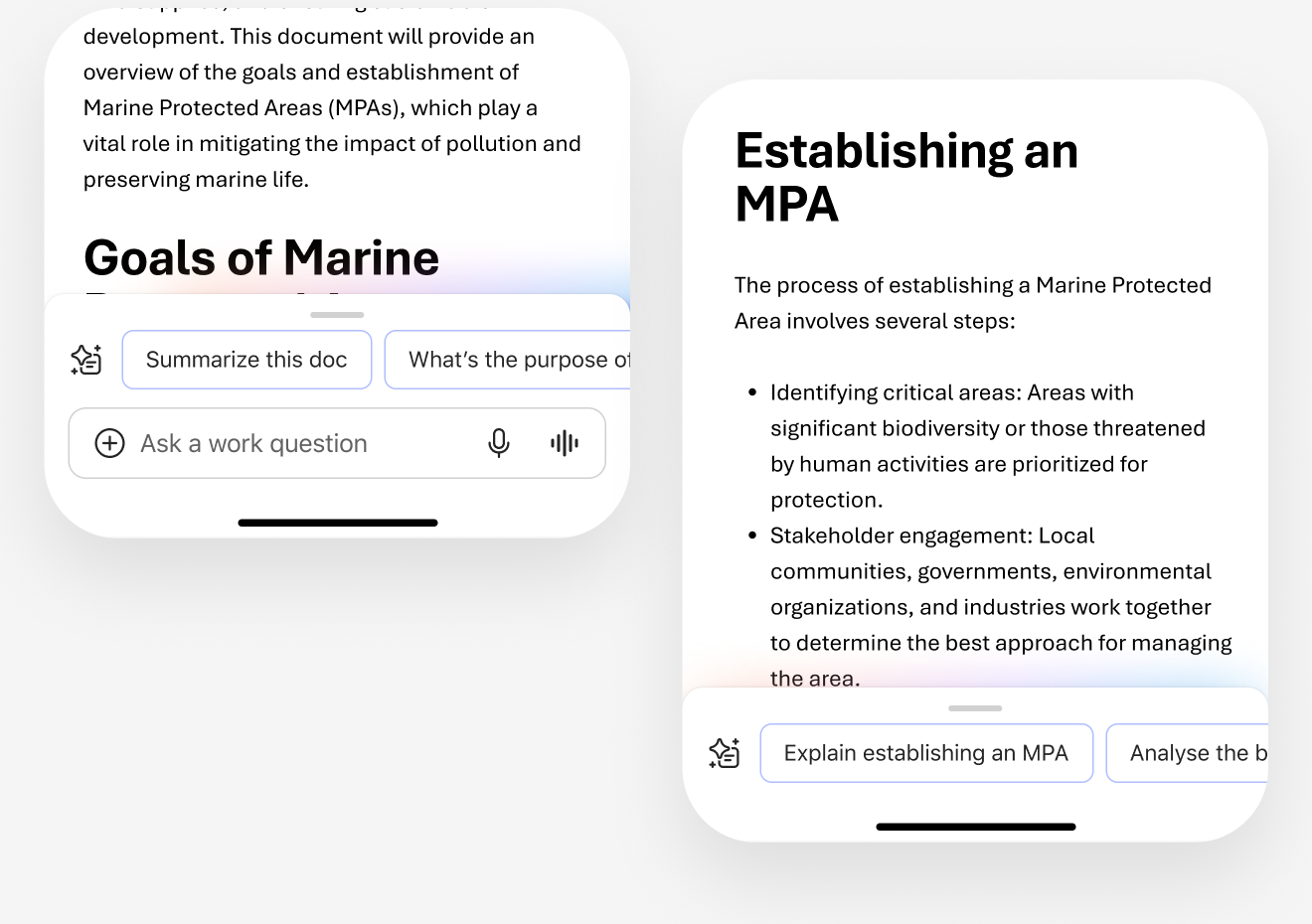
Minimised copilot

  • copilot opens by default and enables contextual consumption
  • view copilot responses inline with content being consumed
  • surfacing smart suggestions based on content. includes variety of actions like “explain” “analyse” “visualise” to guide exploration and avoid repetition
Two minimised Copilot designs on mobile: suggested prompts below a Marine Pollution document, and an Establishing an MPA document with a prompt row

User feedback after testing the minimised copilot

"I like how it prompts me to dig deeper. It's not just giving me answers, but helping me formulate better questions"

"By seeing these suggestions, I'm getting a better sense of how to interact with Copilot."

"I appreciate that the suggestions are action-oriented, like 'Explain establishing an MPA' or 'Analyze the benefits.'"

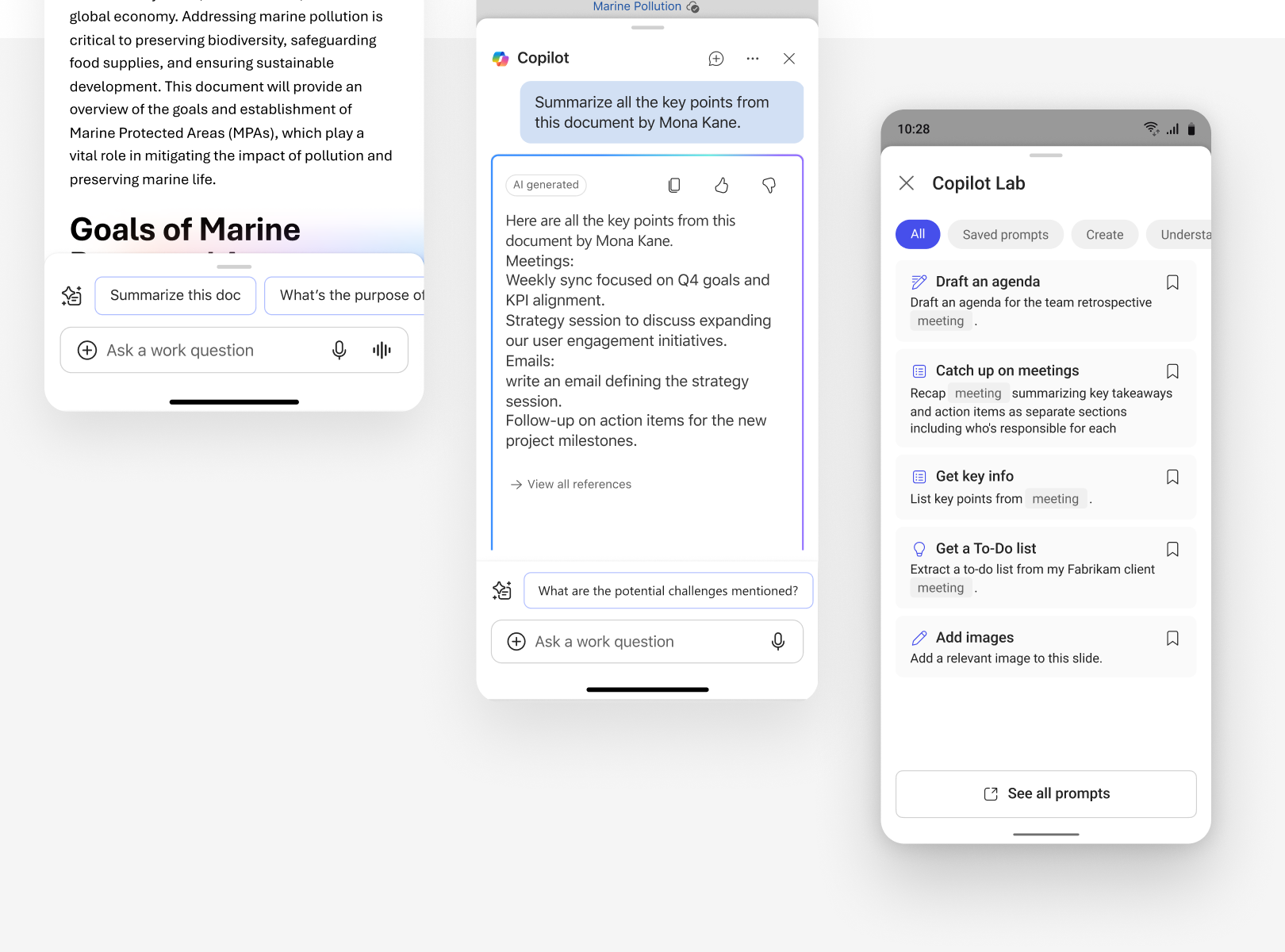
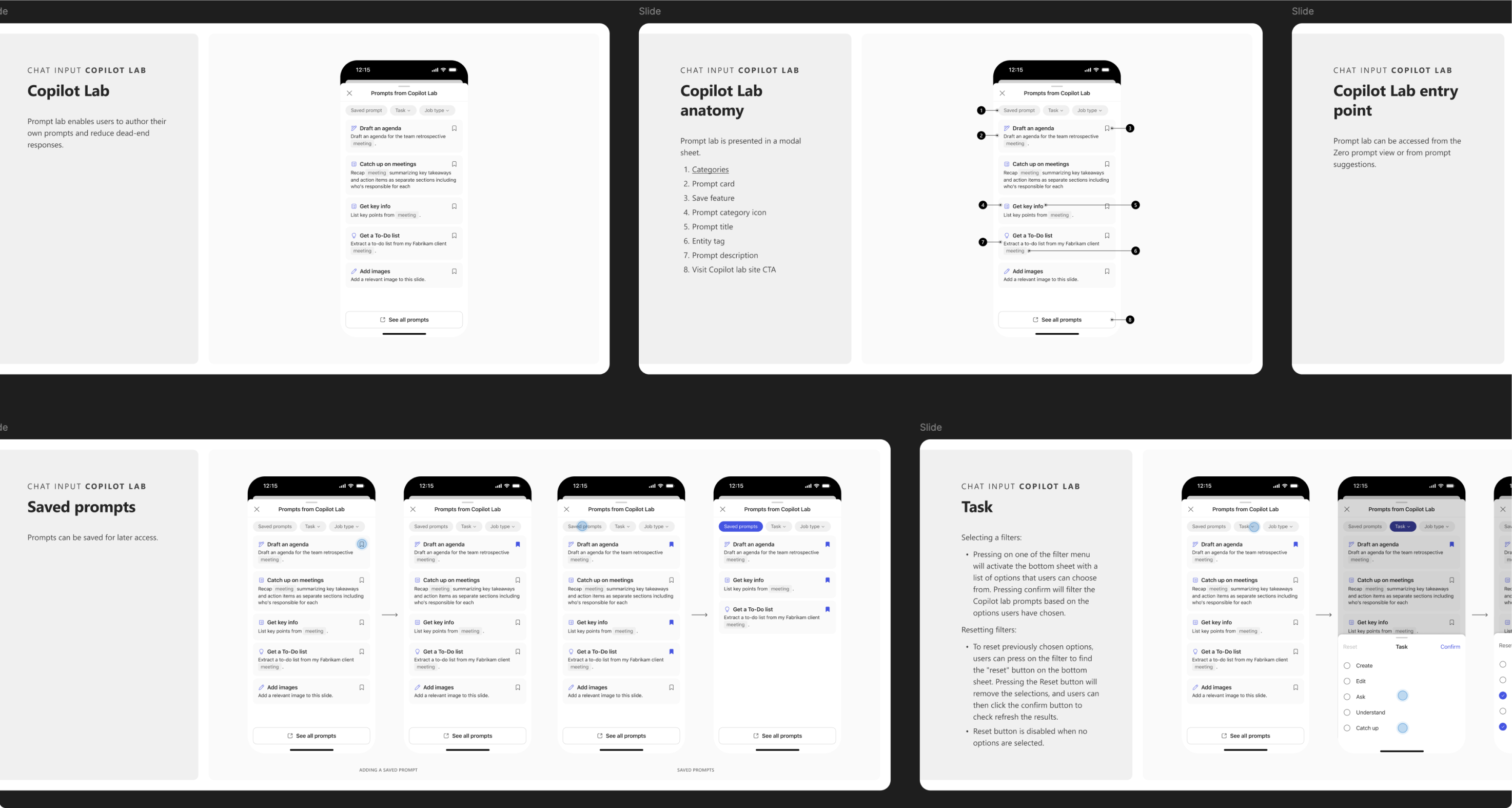
Guiding discovery through Copilot Prompt lab

Showcasing user-centric suggestions designed to surface specific insights related to meetings/people/file,etc

Copilot on mobile: a document with suggested prompts, a chat summary of key points, and the Copilot Lab prompt list
Figma slides documenting the Copilot Lab chat input: overview, anatomy with eight numbered parts, entry point, saved prompts and task filters

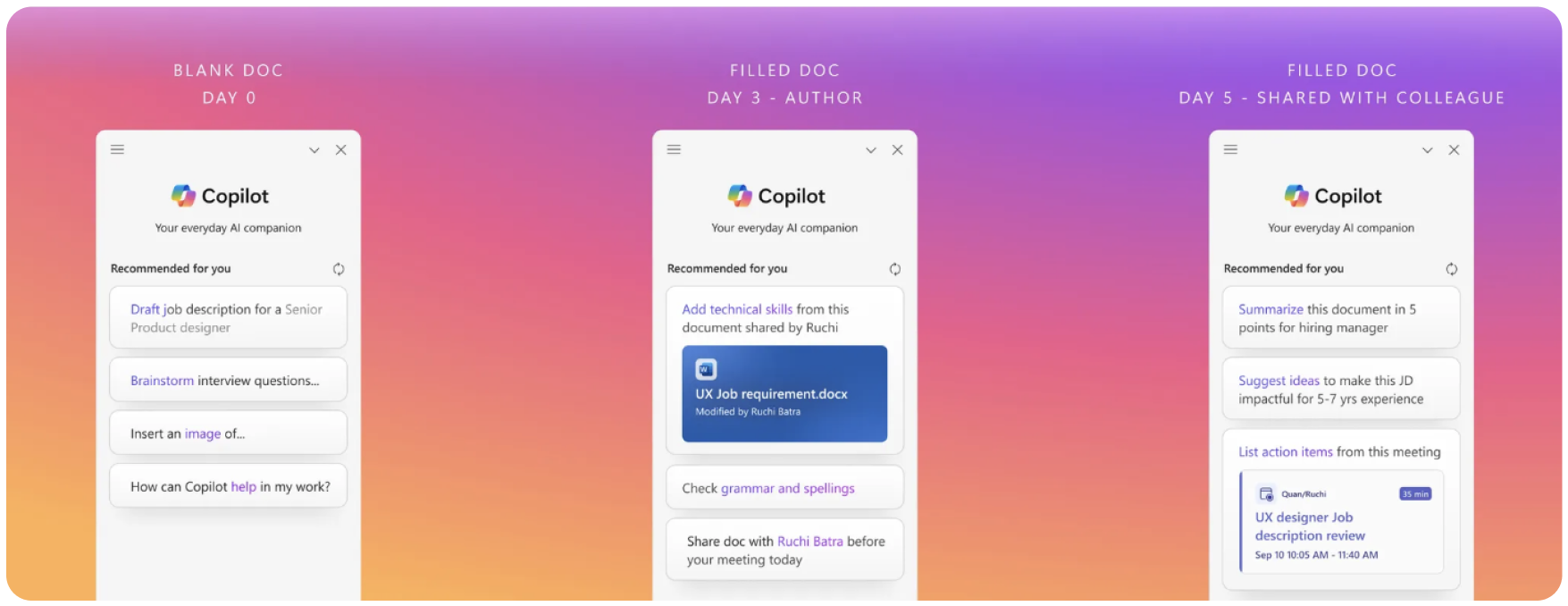
ZQM Evolution

The memory created through the Copilot Profile can surface in other experiences, starting with an evolving ZQM.

Over time, suggestions can be tailored to a user’s industry, job function, tasks and personal preferences and style of work.

Light bulb

user insight: - users expects copilot to understand their goals and learn about their preferences to provide more personalised experience

Three Copilot panels over a sunset gradient showing recommendations on day 0 (blank doc), day 3 (filled doc, author) and day 5 (shared with colleague)
Copilot chat on mobile: before, day 1 and day 3 designs, showing suggestions evolving over time

3. Selection and Shaping of Model Behaviour

Instant Document Insights-
Helping users consume faster

In the current landscape of document sharing within Microsoft products on mobile devices, users often face challenges in efficiently comprehending lengthy documents or presentations

To address this issue, our UX design project aims to tackle the lack of a streamlined and user-friendly solution for mobile document consumption.

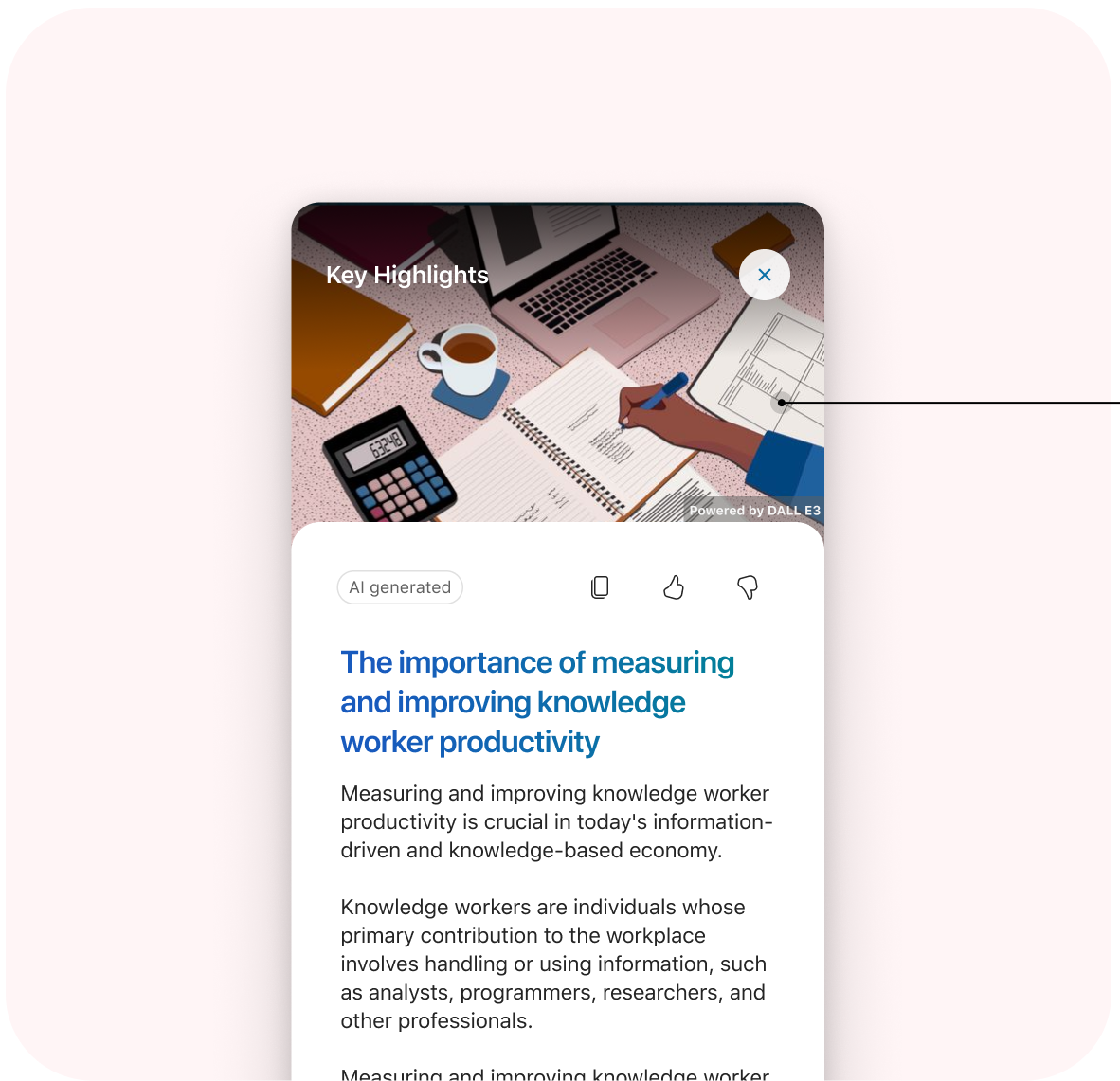
The Key Highlights feature in Copilot will act as a solution, presenting content in a summarized, card-based format to facilitate quick understanding and analysis, ultimately aiming to provide users with a concise and easily digestible overview of lengthy documents and presentations, ensuring optimal readability and comprehension

Copilot Key Highlights card with an AI-generated illustration on a mobile screen
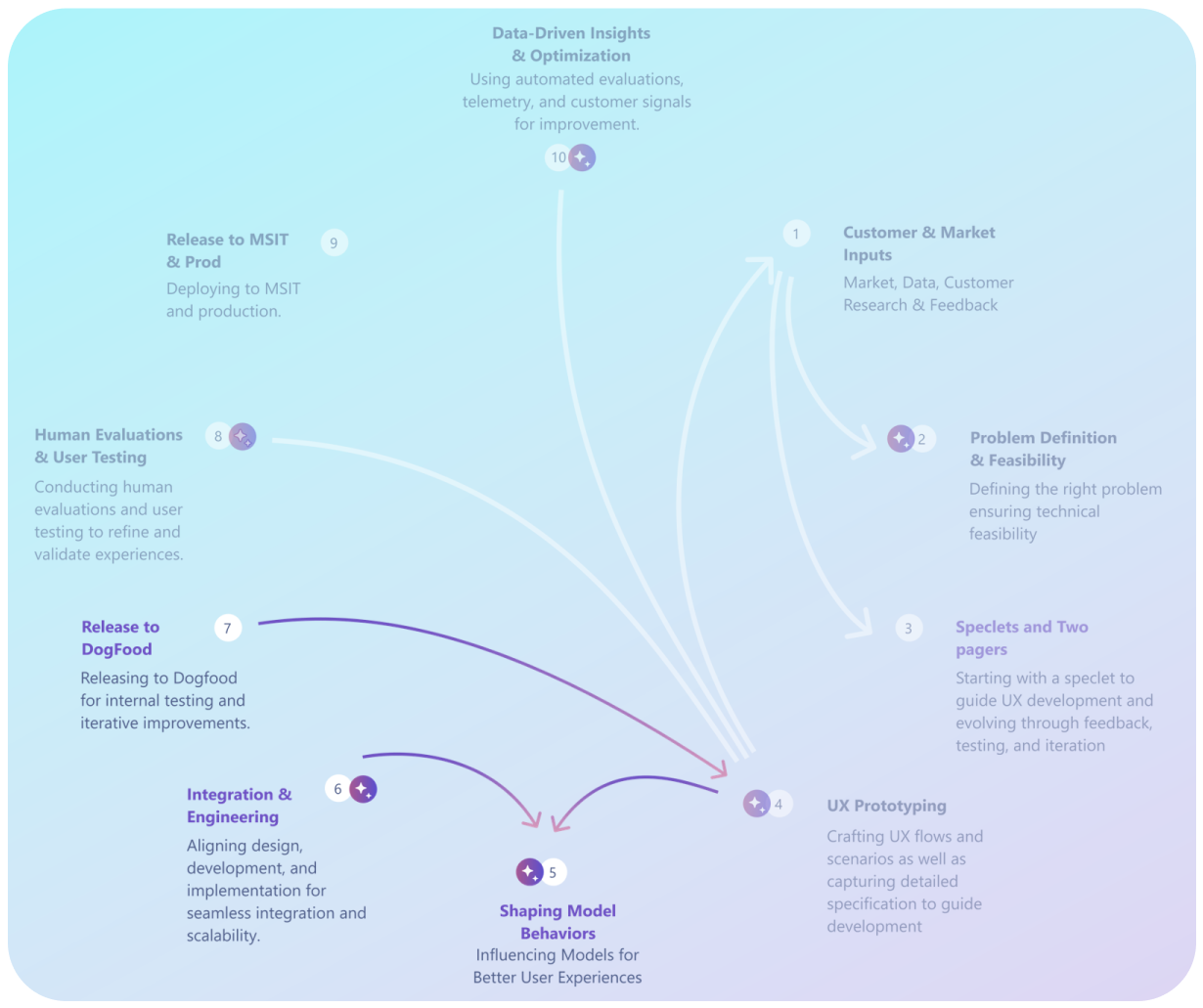
Ten-step AI design workflow diagram, from customer and market inputs through to data-driven insights, with 'Shaping Model Behaviors' highlighted

An example of guidelines for image creation

Visual Style & Composition: Adopt a minimal, vector-inspired design with clean lines and simple shapes for clarity and modern appeal.

Color Palette & Elements: Utilize soft pastel and neutral tones with sufficient contrast, ensuring a calm yet accessible visual experience

Brand Consistency & Contextual Relevance : Align imagery with the product’s modern aesthetic and core themes—depicting document productivity and seamless collaboration

Scalability & Responsive Design : Design for mobile-first, ensuring images remain legible and adaptable across various screen sizes and layouts

Key Highlights

A bite-sized reading mode that distills lengthy or complex documents into quick, mobile-friendly summaries—bridging the gap between in-depth reading and convenient scanning.

4. Evaluating AI beyond Usability

Stress Testing with Extreme Cases: Test the AI’s reliability under unusual inputs or contexts to uncover hidden biases, performance bottlenecks, and potential failures.

Multi-Perspective Analysis: Consider diverse personas and environments to ensure the AI solution remains robust, inclusive, and ethically sound for all users.

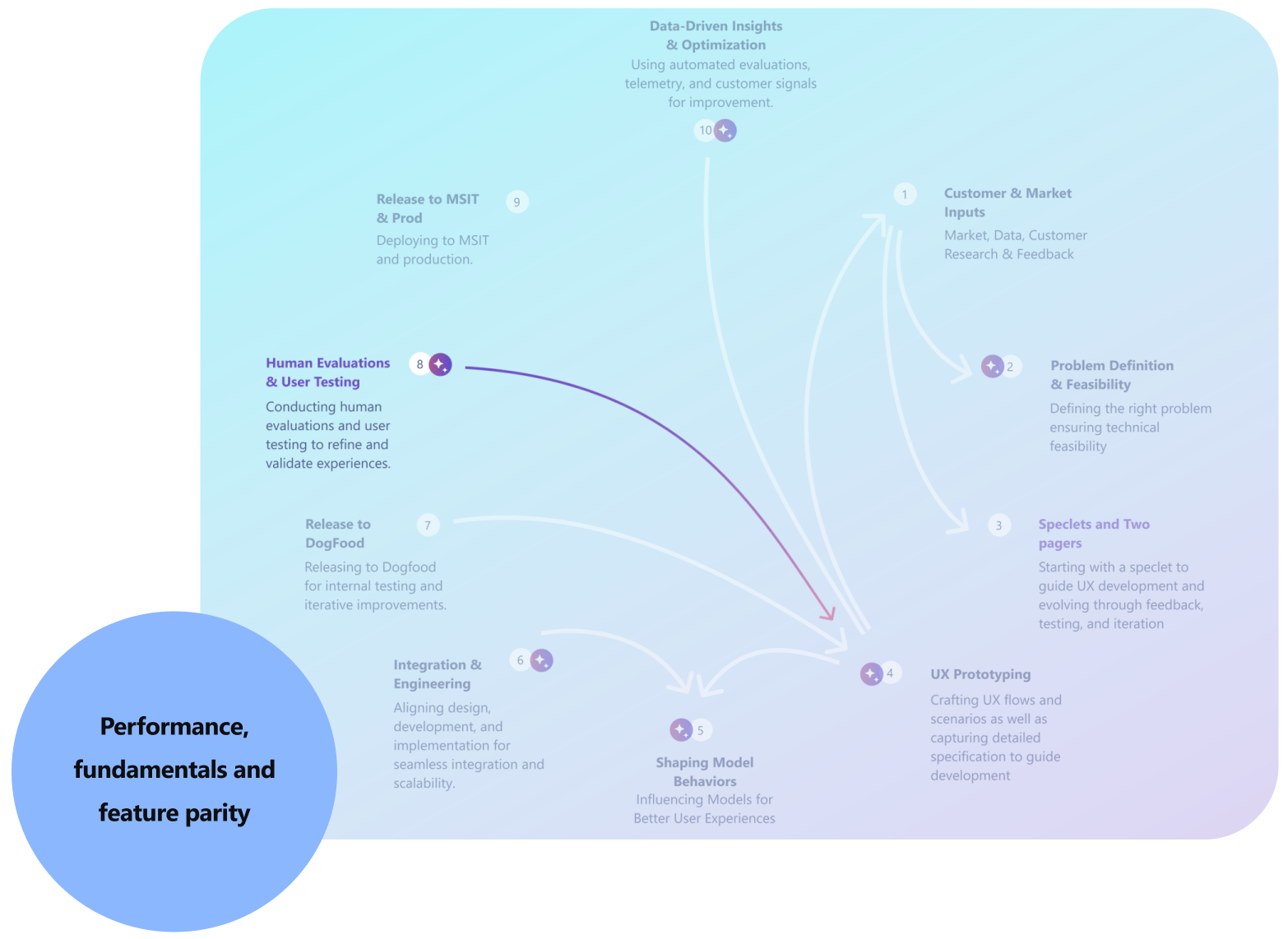
Ten-step AI design workflow diagram with 'Human Evaluations & User Testing' highlighted, and a circle labelled 'Performance, fundamentals and feature parity'

Stress Test with Extreme Cases

Example Use Case

Information workers want to write faster, better, and with fewer errors.

Personalized AI writing suggestions based on individual writing styles and preferences.

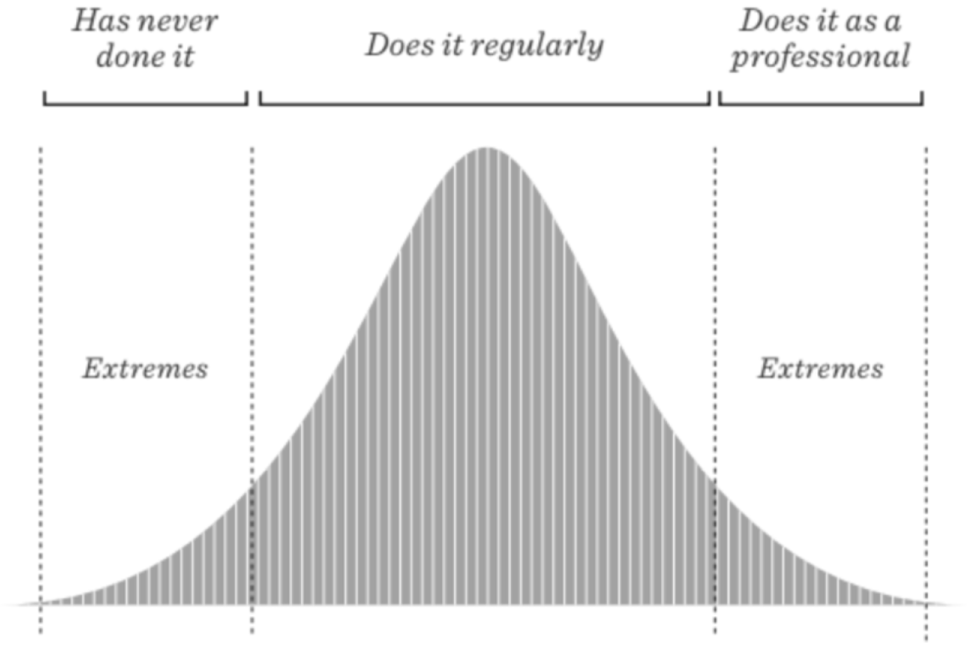
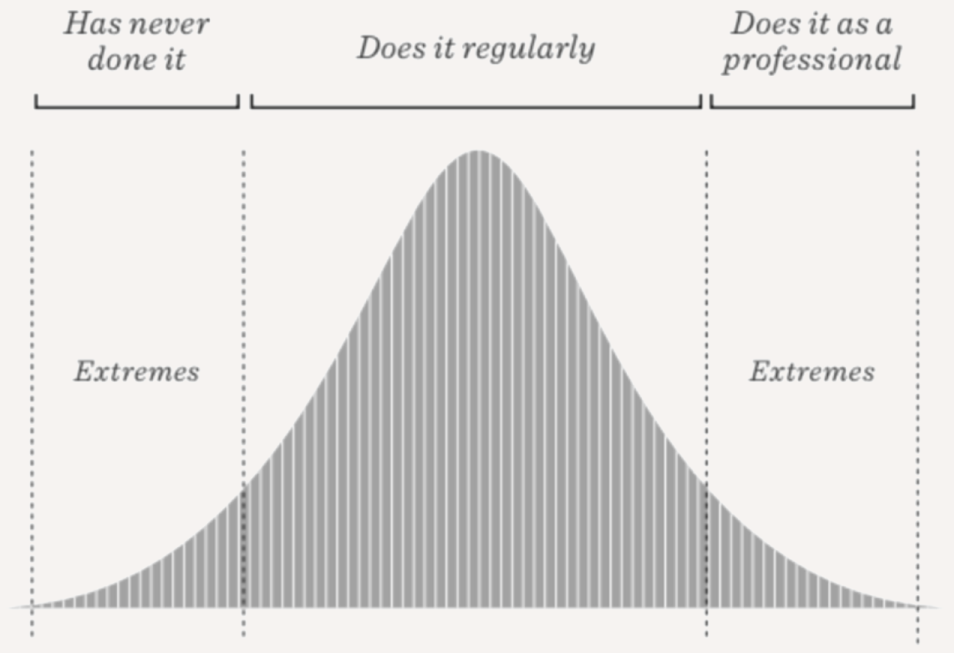
Bell curve of users from 'Has never done it' through 'Does it regularly' to 'Does it as a professional', with the two tails marked 'Extremes'

Maya (Non-Native Speaker): Needs grammar-focused assistance.

Emma (Corporate Executive): Needs formal and precise emails.

Jake (Marketing Writer): Wants creative and engaging tone suggestions.

Example Use Case

Scenario: User opens a lengthy and complex research paper on quantum physics. Minimized Co-pilot is visible inline, ready to assist.

User Action: Begins reading the abstract and the first few paragraphs, encountering several technical terms and abstract concepts.

  • Document Length Extremes: Consuming exceptionally large documents (e.g., multi-hundred page reports, entire books, legal transcripts)
  • Content Complexity Extremes: highly technical or jargon-heavy documents (e.g., scientific papers, engineering specifications, financial statements).
  • User Navigation Extremes: Rapidly scrolling through a document without pausing for long or Deeply focusing on a single, specific section
  • Content Type Extremes: Documents with a high density of lists, tables, or code blocks, images or languages.
  • Information Density Extremes: Documents with very dense information and few visual breaks or Documents with sparse text and large amounts of whitespace or visuals
Bell curve of users from 'Has never done it' through 'Does it regularly' to 'Does it as a professional', with the two tails marked 'Extremes'

Co-pilot suggests: "See a simplified analogy for superposition?" - proactive, deeper understanding.

"Explain the term 'quantum entanglement'?" (as this term appears frequently in the initial paragraphs). and surface recommended topics for deeper understanding

wants deeper analytical thinking in a single area. Co-pilot Suggestion Appears proactively and will change dynamically "Jump to the related section on the results?" "Identify the key assumptions in this paragraph?"

iPhone mockup

Perspective from my manager and peers on our project journey

Source: Microsoft's internal feedback tool CONNECT

Manager comments

Ira, I want to express my sincere gratitude for your invaluable contributions throughout this financial year. Your dedication and hard work have not gone unnoticed.

Your management of the AI-WXP Design sprint was truly commendable. Navigating through complex projects like these, riddled with ambiguous problem statements and tight deadlines, is no small feat. Yet, you handled the situation with finesse and delivered outstanding results. I admire your commitment to adhering to the Design Process, a principle that can easily be overlooked in high-pressure environments.

Taking on the responsibility of Copilot mobile is a testament to your capabilities. You've handled every challenge with expertise and have already begun to establish yourself as a leader in this domain.

Furthermore, I am grateful for your contributions to the OfficeGPT concept, your involvement in various Hackathon projects, and your collaborations throughout the year. Your versatility and willingness to take on diverse projects have undoubtedly enriched our team's efforts.

Read what my peers say about collaborating with me on the project

Feedback

Profile photo of Vishnu Gogula

Vishnu Gogula

PRINCIPAL PM MANAGER

Here's something I think you do really well and hope you keep doing:

Ira, I want to express my appreciation for the great collaboration we've shared on multiple projects in the last year.
Your contribution has been key in all our initiatives, and I want to acknowledge and celebrate them.
Your thoughtful approach in crafting and executing scenarios that are assigned to you is visible through the work you did for creation and commanding Copilot scenarios in Mobile. Your deep thinking and attention to detail have resulted in delivering designs that are not just creative but also effective in capturing the essence of users' needs.
You were able to work very well with several partner teams across Fluent, APEX and WXP to deliver the appropriate designs.
Additionally, I also want to commend you for the quick turnaround and effective work you are able to do even when the timelines are short and deadlines hard. These show up very well in the work you did for the Office GPT demo, and well as for any adhoc asks that may have come in during the Mobile Copilot work.

Thank you for all the diligent work you've been doing, and I look forward to collaborating with you further on this.

Profile photo of Kashish Mehta

Kashish Mehta

DESIGNER II

Here's something I think you do really well and hope you keep doing:

Ira, collaborating with you has been a wonderful experience. Your insights on Voice modality and Multi-modality have been incredibly valuable, especially your ability to simplify complex concepts. The thoroughness of your work on Multi-modality demonstrates your strong analytical skills. I look forward to future collaborations for more shared success and learning.

Profile photo of Radhika Upmanyu

Radhika Upmanyu

PRODUCT DESIGNER

Here's something I think you do really well and hope you keep doing:

Ira is superb designer and a great team member to collaborate with. She joined the Office AI team mid-project and was quickly able to get on-boarded. Along with her design prowess she also brought a fresh perspective to Copilot workflows. We collaborate extensively on creation scenarios and her readiness to get the work done and her willingness to explore new domains within the flow really helps in creating fool-proof designs. One thing I really appreciate about Ira, is her unique design process. Prior to diving into designs, she dedicates time to outline all possible workflow scenarios, filters out the high-value ones, and then proceeds with the design phase. This skill proved invaluable in defending our designs later, as we were well-prepared with all the necessary scenarios in advance.

She takes ownership of the product she is working on and makes sure multiple stakeholders are aligned on the designs. She is extremely passionate about her work and puts her points forward with confidence. She is true systems thinker and looks at projects from design, business and feasibility side. Many times, she has provided guidance to help me see the bigger picture of the project and realign our focus.

I really appreciate our Teams work sessions, where we discuss ideas and even complete individual tasks while being on call. This helps make decisions faster and resolve issues with impromptu discussions even when we are working remotely.

While working on ink projects in the NUI team, Ira was my go-to person for resources, research and general query on ink icons, workflows or designs. She is approachable and very quick in responding to any queries I may have during a project or otherwise. Ira brings a very positive vibe to our team, and it is always a pleasure to work with her.
Default grey profile avatar (no photo) for Raymond Jacob

Raymond Jacob

PRODUCT DESIGNER

Here's something I think you do really well and hope you keep doing:

Working with you on copilot experiences has been a great learning experience. I admire how you approach problems and come up with creative solutions.
It was truly commendable to see you quickly catch up with the fast pace of the copilot project and make significant contributions with you designs in such a short time.

Profile photo of SNEHAL GUPTA

SNEHAL GUPTA

SOFTWARE ENGINEER 2

Here's something I think you do really well and hope you keep doing:

It has been a pleasure collaborating with Ira on multiple projects, including Writing Connect with AI and Code Previewer. Her thoughtful and well-considered suggestions for user experience stood out, especially in navigating ambiguous areas with determination and a growth mindset. Ira’s attention to detail was evident in her work, including creating a prototype for the Connect project. From previous projects like Key Highlights and Catch Up on Document Activity, I’ve witnessed her ability to craft beautiful designs and ensure the final product aligns closely with the vision, showcasing strong ownership. I’ve truly enjoyed working with her and look forward to future collaborations!
Profile photo of Guneet Bhatia

Guneet Bhatia

SENIOR PRODUCT DESIGNER

Here's something I think you do really well and hope you keep doing:

Hi Ira,

Working with you on the AI vision for Jon F's review has been an absolute pleasure. Your ability to bring fresh ideas to the table and build on others' thoughts truly showcases a growth mindset and a constant desire to learn. Your calm demeanour is reflected in your design language and aesthetics. I recall a moment when we were focusing on the AI nudge for just one scenario, but your proactive thinking expanded the idea to other scenarios, making the solution much more coherent and robust.

And I cannot emphasize enough how outstanding your design skills are. You excel in every aspect—whether it's bringing novel ideas to life, ensuring coherence across designs, or prioritizing mobile-first thinking. Your talent is truly admirable.

This was our first project together, and I genuinely look forward to more opportunities to collaborate in the future.

Profile photo of Nitin Porwal

Nitin Porwal

SOFTWARE ENGINEER

Here's something I think you do really well and hope you keep doing:

I appreciate the way you take in consideration all the possible scenarios during the discussion, ask insightful questions and pick up great points out of it.
Working on color picker feature with you helped me to understand the flow we need to create a feature from scratch to completion.

Profile photo of Rachit Jain

Rachit Jain

SENIOR PRODUCT DESIGNER

Here's something I think you do really well and hope you keep doing:

- Ira, it has been great working with you again here at Microsoft :)
- I was particularly impressed with your quick turn around times on feedback while working on the JonF review project. Not just because of the quick turn around but also the quality and thought you put in to the solutions helped move us forward.
- I also felt your ability to ask important questions at the right moments helped maintain the quality of our concepts. You were also not holding back the relevant questions no matter who you were asking them to. Really appreciate that quality in you.

- On the learning front, you've highlighted learning opportunities from the office AI team and helped continue the work on seekh kebab.

Here's a suggestion for how you could leverage this strength further:

- It would be great for us to see how the learning efforts from office AI can be brought to the rest of the studio as well.

Profile photo of Venkat Gopal

Venkat Gopal

PRINCIPAL GROUP DESIGN MANAGER

Here's something I think you do really well and hope you keep doing:

In the limited time we collaborated, your sense of Agency particularly stood out. Here are a couple of ways I observed this-:

1. Diligence in ensuring high quality final output: As we got close to the final review, there were many iterations required. You went above and beyond to ensure each new iteration had zero comp bugs, going the extra mile to fix even small glitches despite time pressure. Commendable effort!

2. Articulating the needs of a user: In discussions and also in reviews, you articulated your design proposal well, by putting yourself in user's shoes. This helped the group evaluate the options effectively.

Profile photo of Isha Agrawal

Isha Agrawal

PRODUCT DESIGNER II

Here's something I think you do really well and hope you keep doing:

1.You are a great team player, recognising both your own strengths and those of others, effectively leveraging them to benefit each member of the team.
2. Your process and direction are remarkably clear, enabling others to gain a better understanding as well.
3. You have a solution-oriented mindset, avoiding the pitfalls of getting caught up in multiple approaches.

Profile photo of Abhinav Kaushik

Abhinav Kaushik

SENIOR PRODUCT MANAGER

Here's something I think you do really well and hope you keep doing:

Ira demonstrates ownership which helps the crew work efficiently. She ensures that all the stakeholders from Redmond and partner teams are aligned on the designs; it helps us prevent inefficiency and unwarranted conflicts later on in the cycle.
She assumes the entire onus on her to bring about such clarity and consequently becomes a reliable point of contact for driving such discussions.

She does not shy away from putting in going extra mile- which got evident to me when we collaborated on two of the FHL ideas.

Default grey profile avatar (no photo) for Raymond Jacob

Raymond Jacob

PRODUCT DESIGNER

Here's something I think you do really well and hope you keep doing:

Working with you on the Edge project has been super fruitful and I appreciate how far we've come. Your perspectives have helped us drive clarity and take things forward.
You've been single handedly managing the icon polishing work and working along with multiple stakeholders to get new and pending requests closed.

Profile photo of Gaurav Jain

Gaurav Jain

PRINCIPAL SOFTWARE ENGG MGR

Here's something I think you do really well and hope you keep doing:

It was great to engage with you across multiple areas most recently in (Initial phase of) Ink beautification and Color Picker and seeing how you approach different design challenges. You have a great eye for aesthetics and usability, and know how to apply user research and testing methods to your projects.

You did well in creating engaging and intuitive interfaces that match the user needs and expectations. Your designs are clean, consistent and easy to navigate. You made sure to collaborate within and cross-team and keep all partner UX and stakeholders in alignment on experience.

Been very responsive to requirements updates, changes and been willing to go the extra mile to ensure that team is successful.

Profile photo of Erica Martin

Erica Martin

PRODUCT DESIGNER 2

Here's something I think you do really well and hope you keep doing:

Hey Ira, it has been a pleasure working with you! Thank you for your help and flexibility with meeting when we worked together on the ink conversion icons. I appreciate your determination on the challenging icon process and thoughtful iterations. Looking forward to continue working with you!

Profile photo of Radhika Upmanyu

Radhika Upmanyu

PRODUCT DESIGNER

Here's something I think you do really well and hope you keep doing:

1. One quality in you that stands out the most is the way you are aware of the product in its entirety.
2. You always have a grasp on the business needs and the implementation process and of course the design process. You look at the product not just from the design side but all points of view.
3. You are also always aware of why certain things can/cannot be done because you spend the time to explore the designs and even communicate with the necessary stakeholders.

2-minute explainer · narrated